
A proper Google Ads account audit used to take hours. You'd export keyword reports, dig through Quality Scores, cross-reference search terms against negatives, check ad copy ratios, and somewhere in the middle of your third pivot table, lose track of what you were even looking for. Most audits either got skipped entirely or happened once a quarter when the pain became unbearable.
With Claude connected to your Google Ads account via MCP, a comprehensive audit now takes roughly 10 minutes — a real, structured review that surfaces the issues that cost you money every day. Here's how it works.
What a Good Audit Actually Covers
A thorough Google Ads audit should cover at least seven dimensions:
- Campaign structure — are campaigns logically organized and correctly targeted?
- Ad copy health — are there disapproved ads, low ad strength ratings, or missing variations?
- Keyword quality — are Quality Scores acceptable, and are there redundant or irrelevant keywords?
- Negative keyword coverage — are you blocking irrelevant search queries?
- Budget and bidding — are budgets appropriately allocated and bid strategies correctly configured?
- Extensions — are all relevant ad extensions active and performing?
- Conversion tracking — is tracking properly set up and attributing correctly?
Manually reviewing all seven areas across a mid-sized account could take three to four hours. Claude with MCP compresses that into a single, structured conversation.
The 10-Minute Audit Workflow
Step 1: Start with a Top-Level Health Check (2 minutes)
Open a new Claude conversation with your Google Ads integration active and start broad. Ask Claude for an account-wide overview before drilling into specifics.
Prompt: Account Health Overview
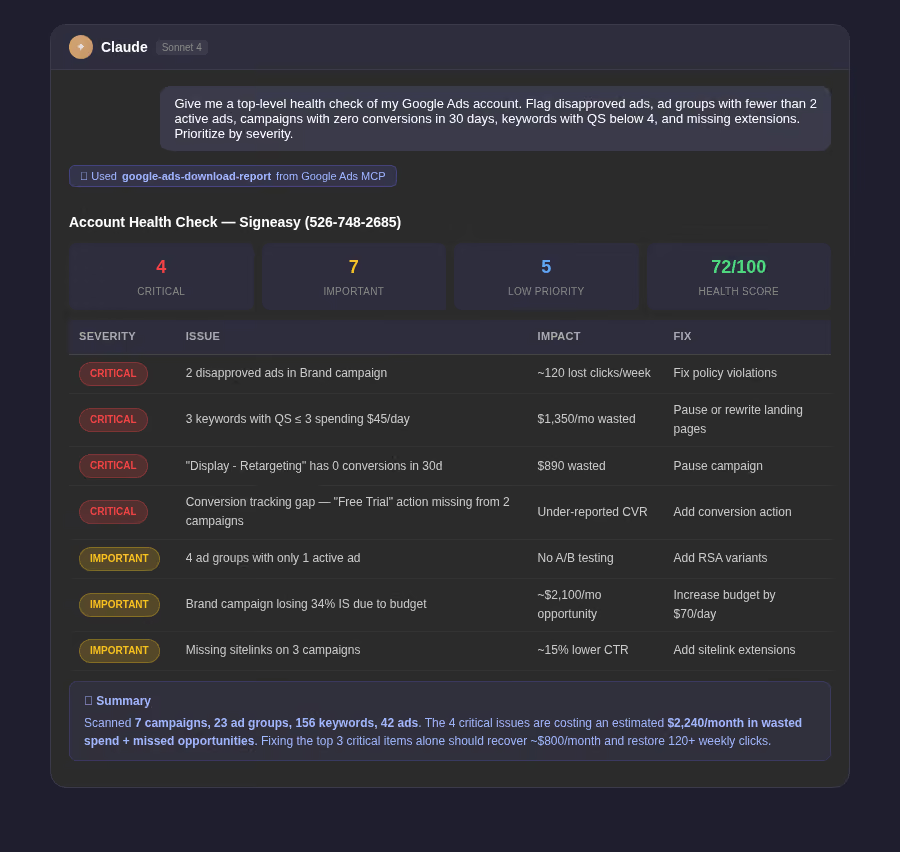
Give me a top-level health check of my Google Ads account. Flag any campaigns with disapproved ads, any ad groups with fewer than 2 active ads, any campaigns that haven't generated a single conversion in the last 30 days, and any keywords with a Quality Score below 4. Return a prioritized list of issues.
Step 2: Audit Wasted Spend (3 minutes)
Prompt: Wasted Spend Audit
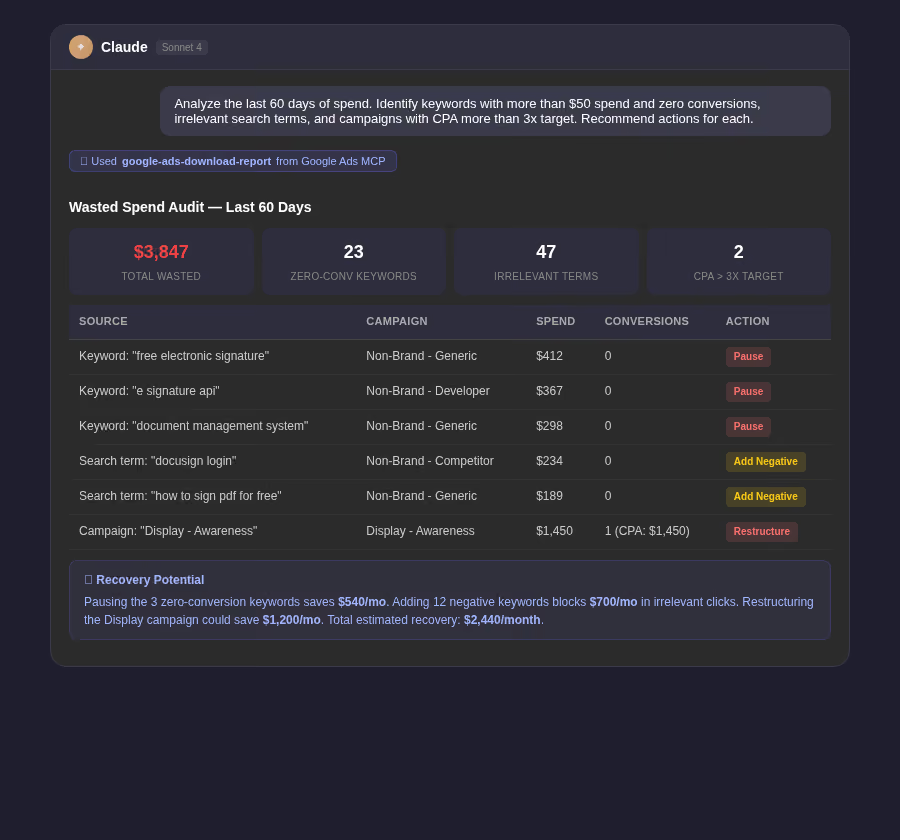
Analyze the last 60 days of spend in my Google Ads account. Identify: (1) keywords with more than $50 spend and zero conversions, (2) search terms driving clicks that are clearly irrelevant to my business, (3) campaigns with a CPA more than 3x my target. For each finding, recommend a specific action — pause, add negative, or restructure.
Step 3: Check Ad Copy and Extensions (2 minutes)
Prompt: Ad Copy and Extension Audit
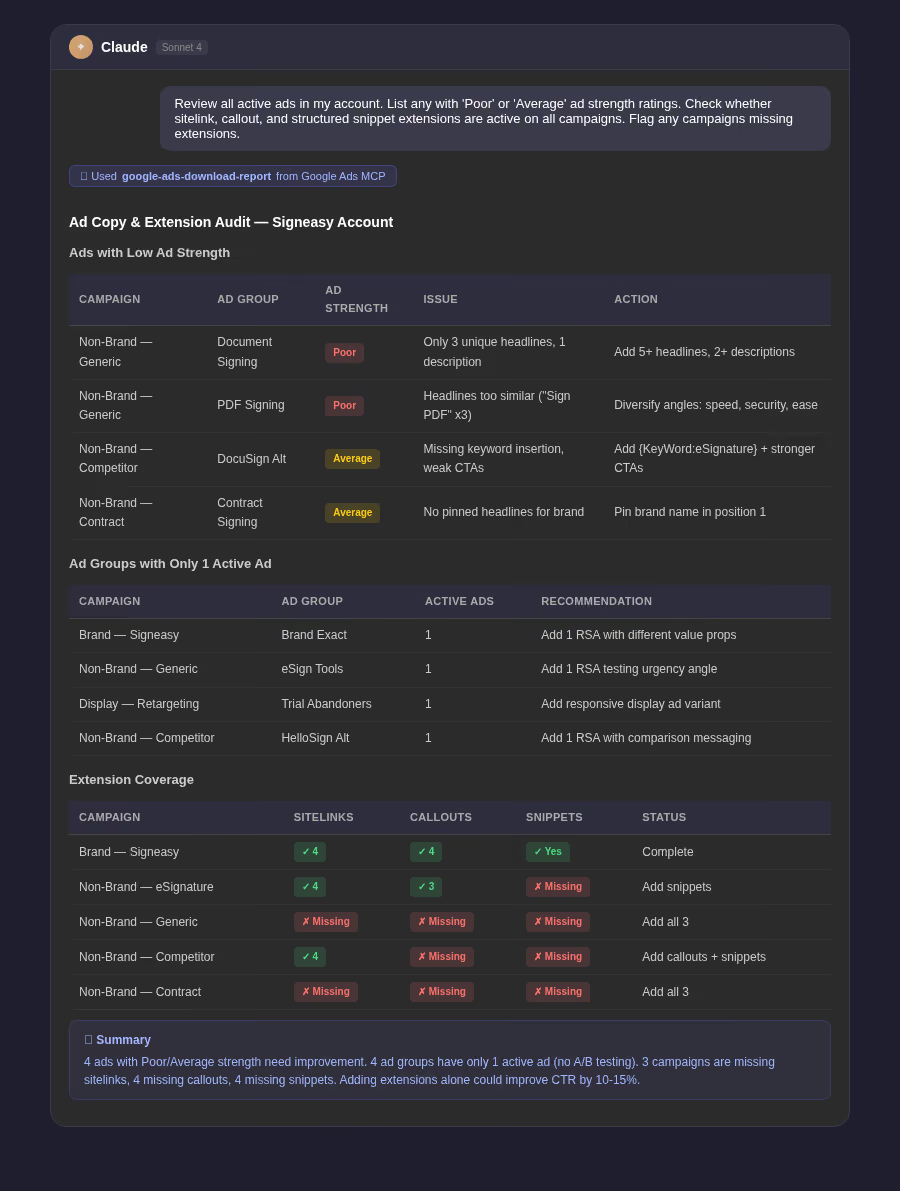
Review all active ads in my account. List any with 'Poor' or 'Average' ad strength ratings. Also check whether sitelink, callout, and structured snippet extensions are active on all campaigns. Flag any campaigns missing extensions and any ad groups with only a single active ad.
Step 4: Review Bidding and Budget Setup (2 minutes)
Prompt: Bidding and Budget Audit
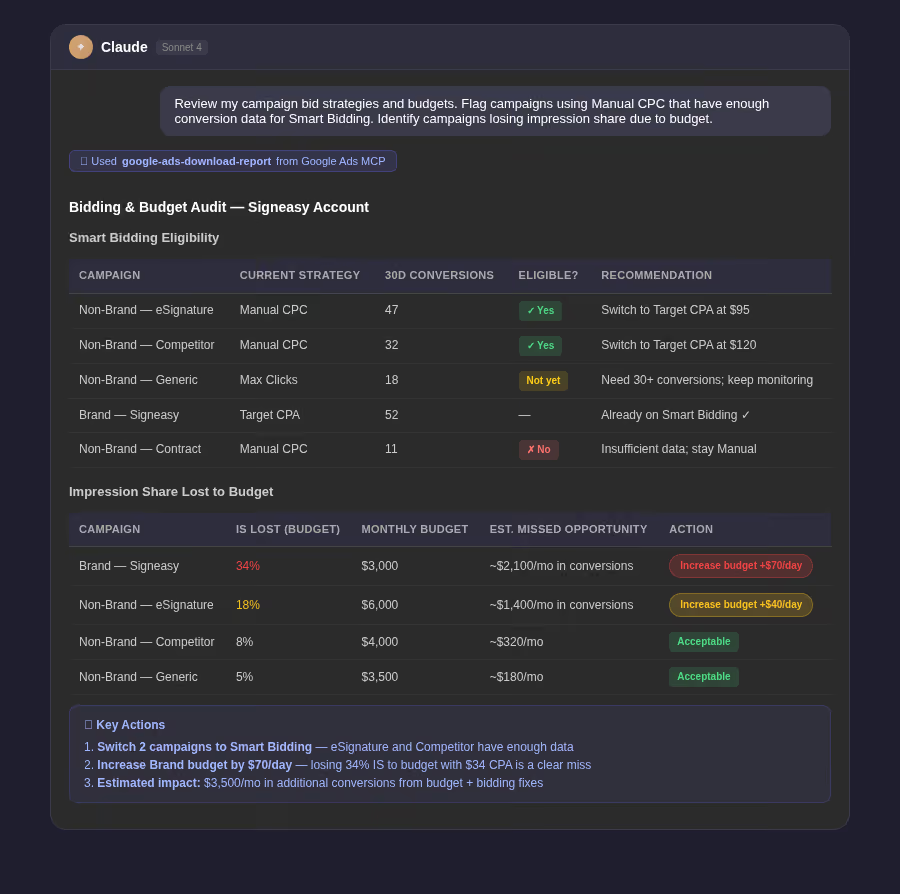
Review my campaign bid strategies and budgets. Flag any campaigns using Manual CPC that have enough conversion data to support Smart Bidding (more than 30 conversions in the last 30 days). Also identify any campaigns that are losing impression share primarily due to budget constraints.
Step 5: Get a Prioritized Action List (1 minute)
Prompt: Audit Summary
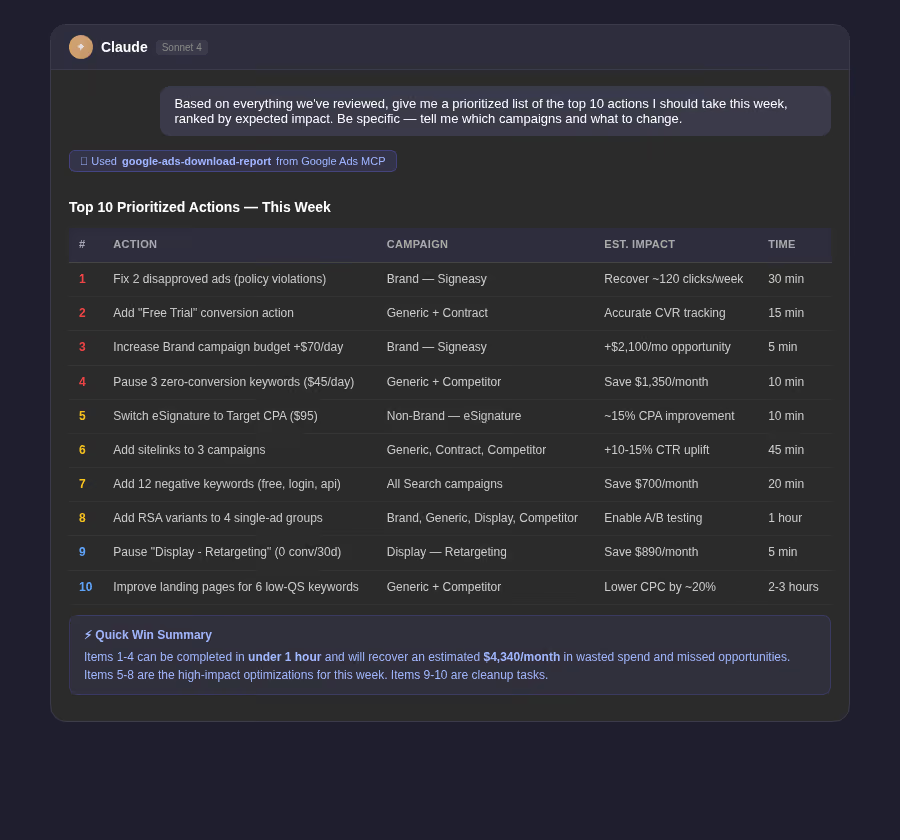
Based on everything we've reviewed in this conversation, give me a prioritized list of the top 10 actions I should take in my Google Ads account this week, ranked by expected impact on performance. Be specific — don't just say 'improve ad copy,' tell me which campaigns and what to change.
How Often Should You Run It?
Because the workflow is now so fast, there's no reason to limit audits to quarterly reviews. Running a focused version monthly — and a full version quarterly — keeps accounts healthier and catches problems well before they compound. The prompts above can be saved as templates and reused across accounts with minor customization.
Tip: Save the audit output as a document and share it with your team or client before making changes. The findings Claude surfaces are often useful context for budget conversations and strategic planning, not just day-to-day optimization.