
Your strategist writes a killer prompt on Monday. By Thursday, they've written a slightly different version. By next month, nobody remembers which one produced the best output. The prompt lives in one person's chat history, and when that person goes on vacation, the "system" goes with them.
That is the gap between using Claude and deploying Claude. And closing it requires something more structured than a chat window.
What Most Teams Get Wrong: Prompt vs. System
Open Claude. Type a prompt. Copy the output. Paste it into a Google Doc. Fix the formatting. Do it again tomorrow.
That workflow works. It also breaks in three predictable ways.
Output varies by session.
The same person asking the same question on Tuesday and Friday gets structurally different answers. Tone shifts. Sections get added or dropped. Formatting drifts. For a one-off task, that is fine. For a repeatable deliverable going to clients, it creates quality inconsistency that someone has to catch downstream.
Knowledge evaporates.
A great prompt is worthless if nobody can find it three weeks later. Chat histories aren't version-controlled. New team members start from scratch, producing output that clients notice is different within two deliverables.
Scale hits a wall.
Copy-pasting between Ahrefs, Claude, Google Sheets, and Notion works for five pieces of content. Try it for fifty and the process collapses under its own friction.
The teams capturing real efficiency gains from AI aren't better at prompt engineering. They treat Claude as infrastructure. They build systems that run the same way every time, connect to live data sources, and produce structured output that slots directly into their delivery workflow.
That is what a Claude Skill does.
What a Claude Skill Actually Is
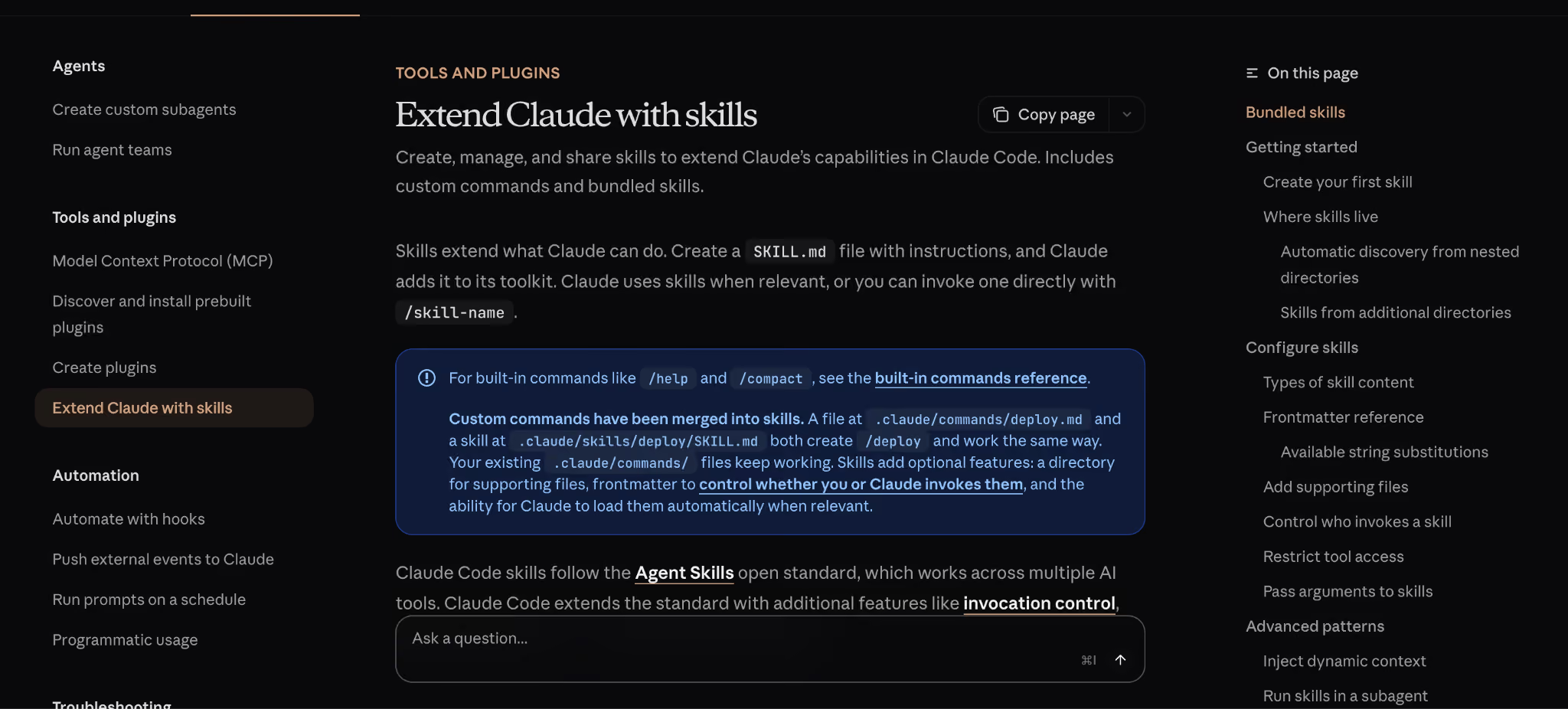
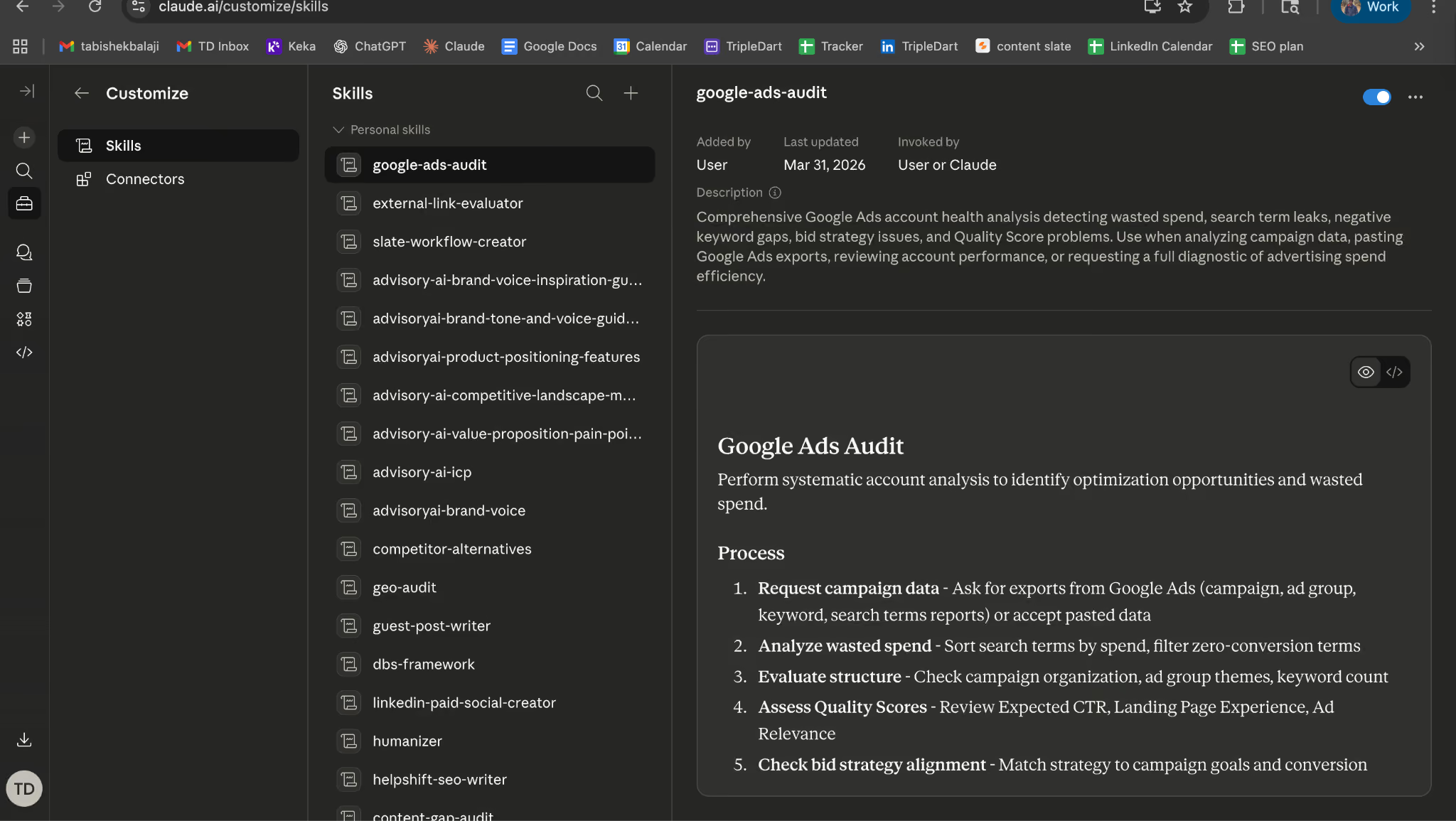
When Anthropic launched Skills as a product feature, they defined them as saved instructions within Claude.ai. That is one use of the term.
We use "Claude Skill" to mean something more production-grade: a reusable, structured AI workflow built on the Claude API, connected to external tools via MCP (Model Context Protocol), running through a workflow platform, and producing structured marketing deliverables.
Think of it this way. Anthropic's Skills feature is like saving a recipe in a notes app. A production Skill is like installing that recipe into a commercial kitchen with prep stations, timers, quality checks, and plating standards.
Same ingredients. Completely different output reliability.
Three characteristics define a production Skill:
Reusable. Runs identically every time, on any input that matches the expected format. No variation between team members, sessions, or time of day.
Connected. Pulls live data from Ahrefs, Semrush, HubSpot, Google Ads, and dozens of other tools via MCP. No copy-pasting CSVs. No stale screenshots.
Structured. Produces the same output format every run: a four-tab XLSX, a Notion page, a JSON payload. The output is machine-consistent and human-reviewable.
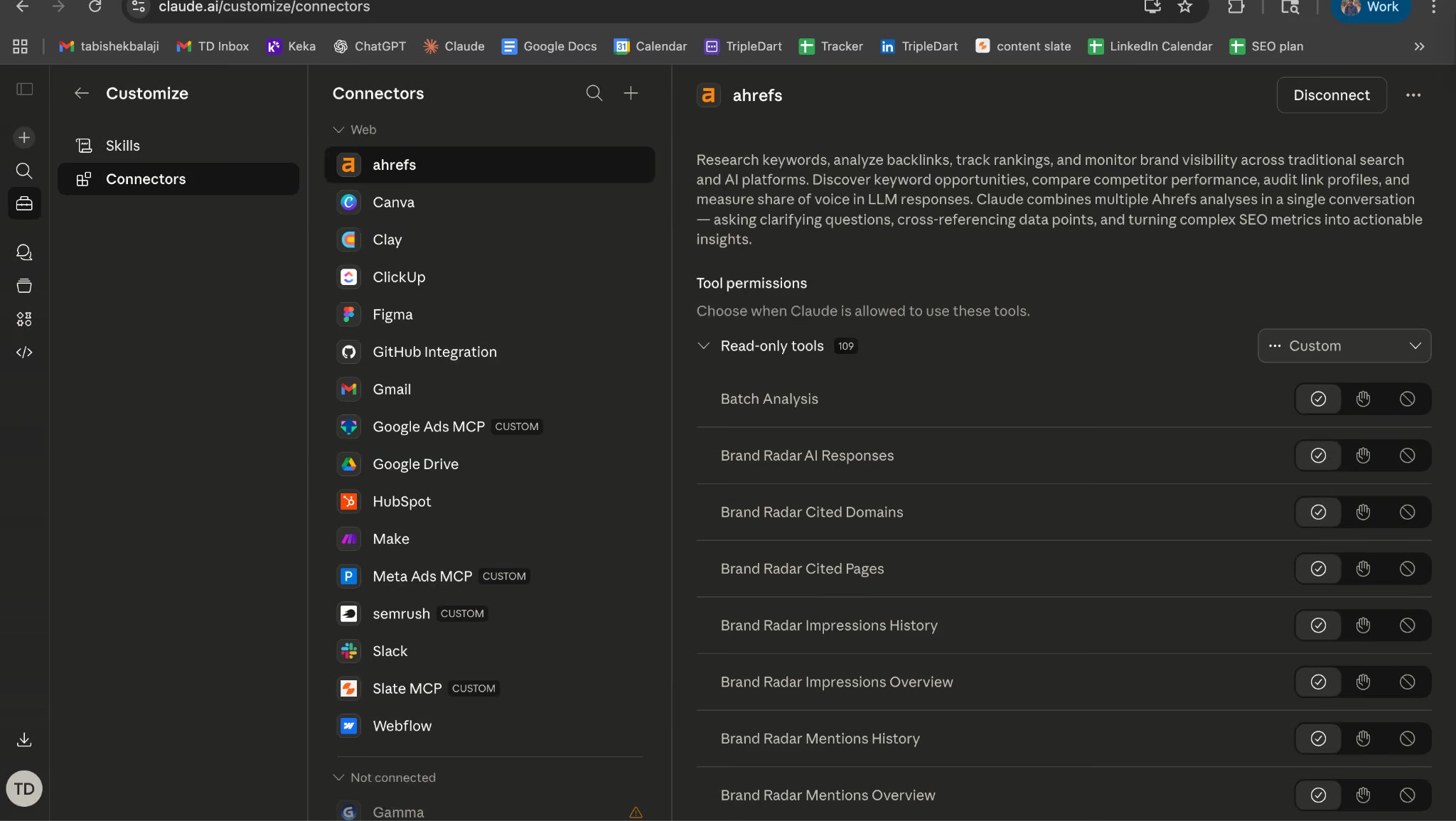
MCP is the connectivity layer that makes this possible. It is the universal standard for connecting AI models to external data sources and tools, backed by Anthropic, OpenAI, Google, Microsoft, and AWS. Skills use MCP as plumbing: the layer that lets Claude read your Ahrefs account, query your HubSpot CRM, or pull search terms from Google Ads without a single manual export.
This matters for SEO specifically because SEO workflows are data-heavy. A single content brief might need keyword volume from Semrush, SERP features from a live scrape, competitor H2 structures from five ranking pages, FAQ data from related queries, and internal link opportunities from your sitemap. MCP connects all of those data sources to a single Skill.
Prompt vs. Skill: A Concrete Comparison
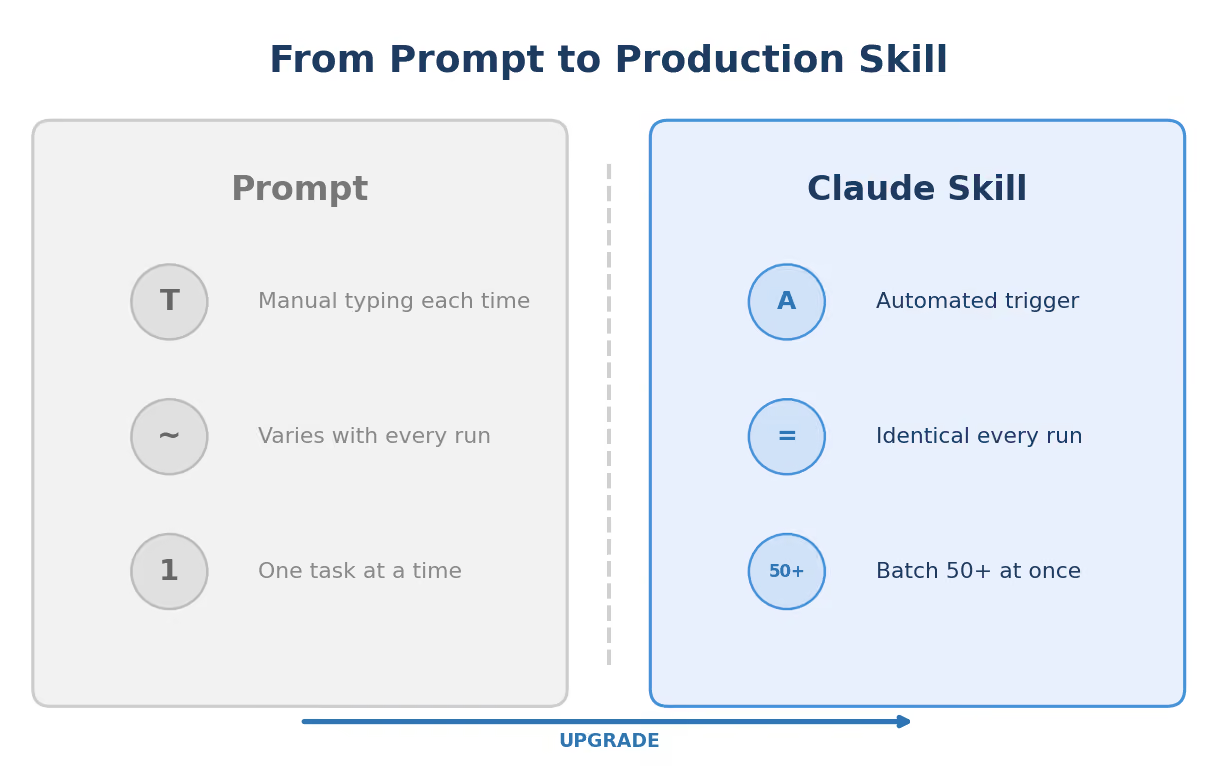
This comparison is easier to understand with a real example. Here is what keyword research looks like both ways.
The prompt approach: You open Claude. Paste in 200 keywords you exported from Ahrefs. Type "Cluster these by intent, add funnel stage, and score priority." Claude returns a table. You copy it into Google Sheets. Reformat the columns. Manually add the CPC and difficulty data that Claude did not have access to. Repeat next week for the next client. Total time: 60 to 90 minutes.
The Skill approach: You input three seed keywords and a client domain into the Skill. The workflow triggers Ahrefs MCP to pull matching terms, related terms, and the client's existing rankings (positions 4 to 15). Claude receives all of that data, classifies intent, labels funnel stage, scores priority, flags quick wins, and outputs a four-tab XLSX via Google Sheets MCP. Total time: under 10 minutes. Same quality every run. Any team member can trigger it.
The difference is not Claude's capability. Claude is extraordinarily capable in both scenarios. The difference is structure. The Skill version connects to live data, enforces a consistent output format, and eliminates the manual steps where quality degrades.
Here is the deeper issue most teams miss: a prompt lives in one person's chat history. A Skill lives in a shared workspace. Anyone on the team triggers it. The output is identical. Institutional knowledge accumulates in the Direction prompt instead of evaporating between browser tabs.
How Claude Skills Are Structured: The DBS Framework
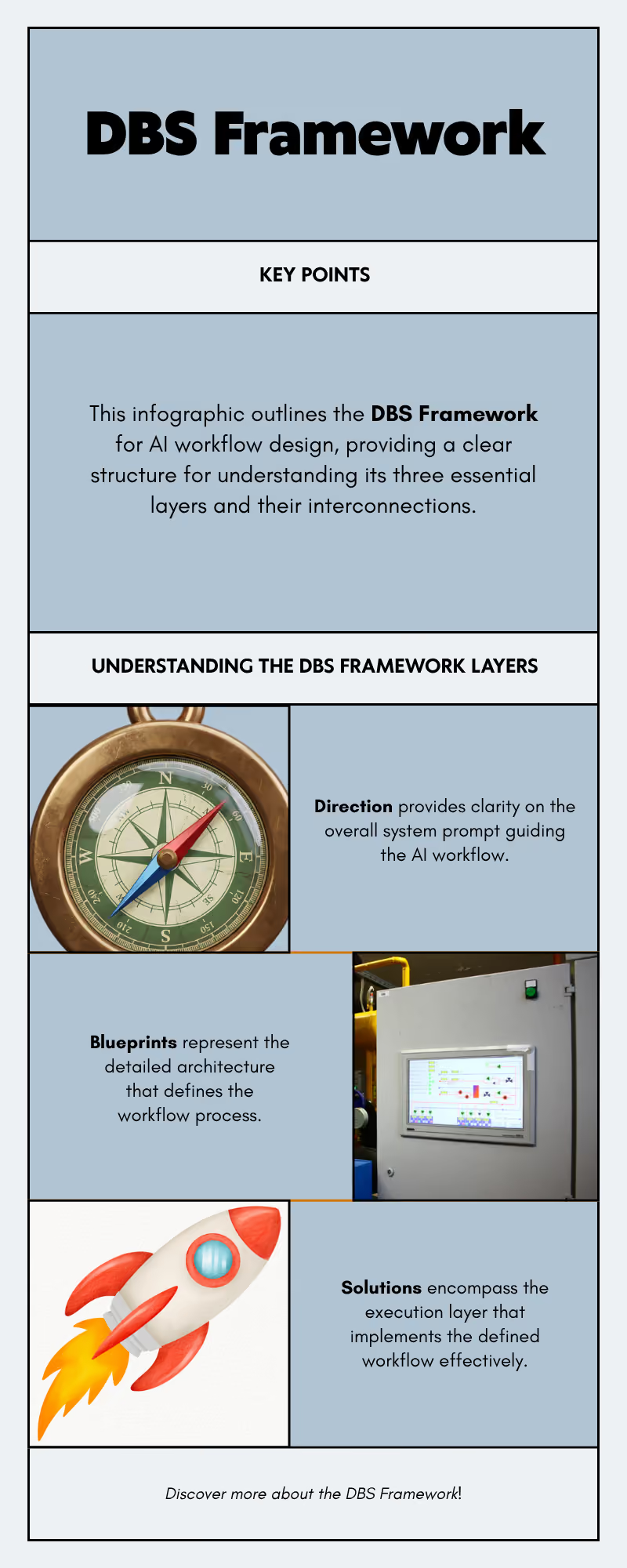
Every Skill we build follows a three-layer framework called DBS: Direction, Blueprints, Solutions. The framework exists because Skill quality is almost entirely a function of how clearly the task is defined, and DBS forces that clarity before any workflow gets built.
Direction: The System Prompt That Controls Everything
Direction is the heart of any Skill. We spend the majority of every Skill build on it. The workflow plumbing is fast. The Direction is what determines whether the Skill is production-ready or demo-ready.
A Direction prompt that says "write a content brief" produces mediocre, inconsistent output. A Direction prompt that specifies the exact fields, the H2 count, the FAQ format, the competitor exclusions, the brand voice, and the priority rules produces the same high-quality brief every single time.
Here is what a strong Direction prompt contains, drawn from our actual content brief Skill:
1. Role definition. "You are a senior B2B SaaS content strategist. Your audience is [BUYER PERSONA] at companies with [COMPANY SIZE]. You write in [TONE] voice."
2. Output specification. Exact fields, exact order, exact formatting. Our content brief Direction specifies nine output sections: persona analysis, competitor analysis, keyword insights, article synthesis, initial outline, positioning notes, outline evaluation, final refined outline, and slug recommendation. Each section has formatting rules.
3. Quality constraints. "Every H2 must map to a distinct search intent. No section may repeat the thesis of another. FAQs must match actual long-tail queries from the data provided, not generated questions."
4. Exclusion rules. "Never mention [COMPETITOR LIST]. Never include unverified statistics. Never recommend content angles the client has already published (check provided sitemap)."
5. Edge case handling. "When two credible sources report different market size figures, cite the more recent primary source and note the discrepancy in writer notes. When keyword volume data is unavailable, flag the term for manual verification instead of estimating."
That last element is the one most teams skip. And it is the one that separates a demo from a production system.
Blueprints: The Workflow Architecture
Blueprint is the design layer: a map of how the Skill gets from input to output before any node is configured. What are the inputs? What data sources get called? In what order? Where do branches exist? Where does the output land?
Our content brief Skill Blueprint, for example, maps a 25-node pipeline:
Input (keyword + brand kit) flows to Google Search (top 5 results), then to a Python node that filters out non-content URLs (excludes Facebook, LinkedIn, Reddit, G2, Capterra). Each URL gets scraped, converted to markdown, and analyzed by GPT-4o for outline extraction. Simultaneously, Semrush pulls organic keywords and related terms. The data converges at a series of analysis nodes: FAQ compilation, common header analysis, persona research via Sonar Pro, and finally a Claude Sonnet 4 node that produces the complete analysis document and writer-ready brief.
Drawing that architecture out before building catches problems that would otherwise become debugging sessions. The 20 minutes you spend mapping the flow saves two to three hours of rework.
Solutions: The Execution Layer
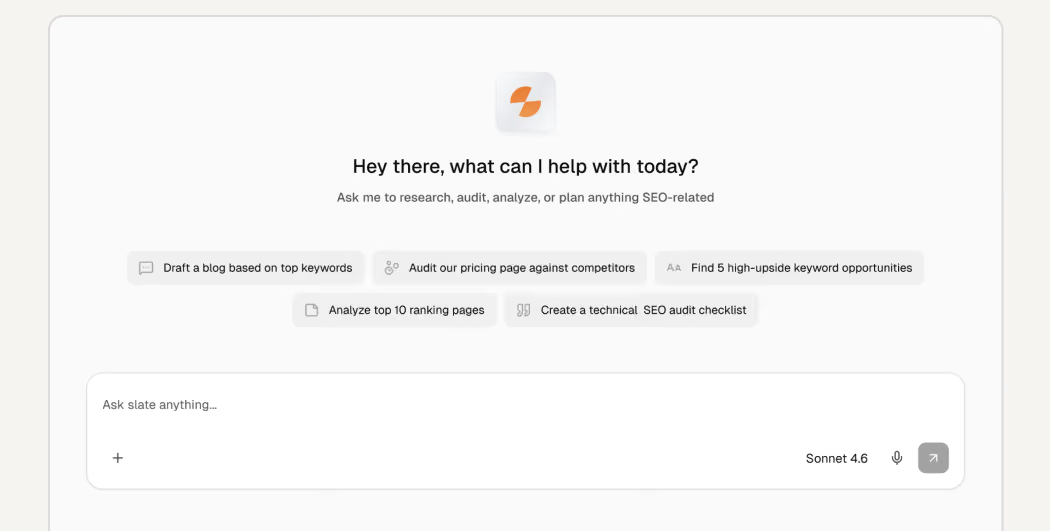
Solutions is the platform that runs the Direction and Blueprint in production. We use Slate for all production Skills.
Why Slate? Three reasons:
- Native MCP support. No middleware needed to connect Claude to Ahrefs, Semrush, HubSpot, or Google Ads.
- Multi-model orchestration. A single workflow can use GPT-4o for data extraction, Sonar Pro for web research, and Claude Sonnet 4 for strategic synthesis, each model handling the task it is best suited for.
- Shared workspaces. The entire delivery team can trigger, monitor, and audit any production Skill without engineering support.
The 6 Skill Categories We Deploy in Production
These are not hypothetical categories. They are what runs repeatedly across client accounts, with real version histories.
1. SEO and Content Skills
The largest category. This includes our content brief generator (25 nodes, 4 AI models, writer-ready output in under 10 minutes), the keyword research Skill (Ahrefs MCP to four-tab XLSX with intent classification and priority scoring), and the internal linking engine.
The internal linking engine is worth highlighting. It is a 10-node workflow that scrapes the client's sitemap (up to 500 URLs), categorizes every URL into priority tiers using pattern matching (product pages as P1, feature pages as P2, blog listicles as P3, other blog posts as P4, everything else as P5), and then Claude Opus inserts links following the priority hierarchy. Front-loads 40 to 50% of links in the first third of content. Maximum 2 links per paragraph. Anchor text between 2 and 6 words.
For a client with 300+ blog posts, the manual internal linking audit took a full day. The Skill runs in minutes.
We also run an external linking engine, a 3-phase pipeline where Claude extracts anchor text opportunities, Sonar Deep Research finds authoritative sources (tiered from Gartner/Forrester at the top to niche blogs at the bottom), and Claude embeds verified URLs into the content. No hallucinated links.
2. Research and Audit Skills
The GEO audit Skill runs five parallel subagent analyses and returns a composite score out of 100 with a prioritized action plan. The SEO Re-Optimization Skill (v16) runs an 18-section SERP and AI analysis with conditional branching for listicle versus non-listicle content. The content gap audit pulls the client's ranking keywords alongside three competitors, identifies gaps, scores each by volume and difficulty, and outputs a prioritized content roadmap.
3. Paid Media Skills
Four PPC-specific Skills connect directly to Google Ads MCP: keyword research to structured XLSX by campaign and match type, negative keyword audit with wasted spend estimates, landing page match scoring, and section-by-section CRO audits with A/B test hypotheses. For teams running SaaS PPC, the negative keyword auditor alone justifies the infrastructure investment.
4. Data Validation Skills
The Fact Checker is a 3-phase pipeline.
Phase 1: Claude Sonnet extracts every verifiable claim from a draft.
Phase 2: Sonar Pro searches the web for each claim, finding current sources.
Phase 3: Claude Opus synthesizes the verification results, flags false claims, and rewrites them with correct data and citations.
Multi-model because each model has a different strength: Sonar Pro for real-time search, Claude Opus for editorial judgment on conflicting sources.
5. ABM and Enrichment Skills
ICP scoring, persona classification, and outreach personalization Skills that connect Clay enrichment data to HubSpot via Claude-powered qualification logic. The ICP scoring Skill pulls firmographic data, enriches with technographic signals, scores against the client's ICP framework, and writes a one-paragraph qualification rationale per account. Useful for any team running account-based strategies.
6. Content Production Skills
Client-specific blog draft generators, a Content Brand Enhancer (v11) that enforces brand voice across drafts, a Humanizer that removes recognizable AI writing patterns, and a Publish to Webflow workflow (v2) that takes a finished article and pushes it directly to the client's CMS. The version numbers tell the real story: each version represents a specific improvement triggered by a specific failure pattern observed in production output.
What Makes a Strong Candidate for a Claude Skill
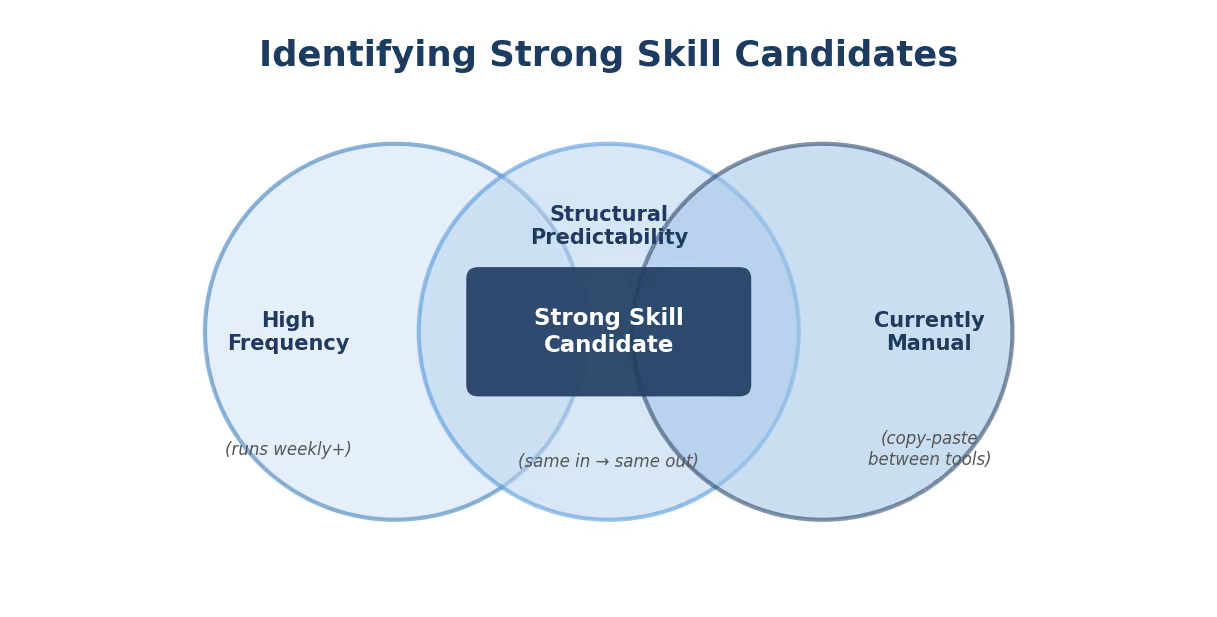
Not every task benefits equally from Skill automation. Three factors determine candidacy:
High frequency. The task runs at least weekly, across multiple clients or campaigns. A task you do once a quarter is not worth automating. A task you do 15 times a week across 8 clients? That is a Skill waiting to be built.
Structural predictability. The same input types always produce the same output structure. There is a clear template for what "done" looks like. If two experts would produce fundamentally different outputs from the same input, the task is not predictable enough for automation.
Currently manual. The task involves a human copy-pasting between tools, reformatting spreadsheets, or producing repetitive structured documents. The more tool-switching involved, the higher the ROI.
We use a scoring matrix: frequency (1 to 5) x predictability (1 to 5) x manual effort (1 to 5). Any task scoring 60+ out of 125 goes into the Skill development backlog. Anything below 30 stays manual. The gray zone gets a two-week pilot: build a minimal Skill, run it 10 times, measure whether output quality matches manual quality.
Strong candidates: content briefs, keyword clustering, meta title/description generation, search term classification, schema generation, internal link audits, FAQ generation.
Better left human-led: campaign positioning, brand narrative, client relationship management, creative strategy, anything requiring genuine judgment about organizational context.
Building Your First Skill: Step by Step
The fastest path to a production Skill is starting with the highest-frequency task in your current workflow. For most B2B SaaS marketing teams, that is content brief generation. Here is the walkthrough.
Step 1: Define the Output Precisely
Before touching any tool, write down exactly what the finished deliverable contains. For a content brief, that means: target keyword with volume/CPC/difficulty, search intent classification, recommended H1 title with alternatives, content angle (2 sentences), H2 outline (8 sections), FAQ section (5 questions from real queries), internal link suggestions (3, prioritized by page type), schema recommendation, and writer notes.
Be specific enough that two different people reading your spec would produce nearly identical outputs.
Step 2: Write the Direction Prompt
Encode every output rule, quality standard, and client-specific requirement into the Direction prompt. Here is the structure we use:
You are a senior B2B SaaS content strategist for [CLIENT NAME].
Audience: [BUYER PERSONA] at [COMPANY SIZE] companies.
Voice: [TONE DESCRIPTION].
Competitor exclusions: [DOMAIN LIST].
TASK: Produce a complete SEO content brief for the target keyword.
OUTPUT (exact fields, exact order):
1. TARGET KEYWORD: [keyword] | Volume: [X] | CPC: [$X] | KD: [X]
2. SEARCH INTENT: [Informational / Commercial / Transactional]
3. RECOMMENDED H1: [title]
ALT TITLES: [2 alternatives]
4. CONTENT ANGLE: [2 sentences, how this differs from ranking content]
5. H2 OUTLINE: [8 H2s, one per line, no H3s]
6. FAQ: [5 questions from actual search queries, no answers]
7. INTERNAL LINKS: [3 suggestions with anchor text, prioritized P1>P2>P3]
8. SCHEMA: [FAQPage / HowTo / Article]
9. WRITER NOTES: [research directions, differentiation angles]
RULES:
- Every H2 must map to a distinct search intent.
- FAQs must come from the provided related questions data, not generated.
- Never recommend angles the client has already published.
- If keyword volume data is unavailable, flag for manual check.
Test this in Claude.ai against 5 different keywords before building any workflow. If output quality varies between inputs, your Direction is not specific enough.
Step 3: Design the Blueprint
Map the data flow on paper. For the brief Skill: Input (keyword) flows to Semrush MCP (keyword data + related terms), Web Scrape (top 5 ranking URLs, converted to markdown), GPT-4o (extract competitor H2 structures and FAQ patterns), Sonar Pro (persona and search intent analysis), Claude Sonnet 4 (full analysis + writer-ready brief), Output (JSON or Notion page).
Step 4: Build
Connect the nodes, paste the Direction prompt, configure the MCP connectors, set the output destination. A first-version brief Skill takes 30 to 60 minutes to build once you have the Direction and Blueprint ready.
Step 5: Validate on 10 Real Inputs
Run the Skill against 10 actual keywords your team needs briefs for. Review every output against your quality standard. Keep notes on what failed and why. Those notes become your v2 improvement list.
Step 6: Deploy to the Team
Publish the workflow in the shared workspace. Document the input format and expected output. Train team members in a 15-minute walkthrough. Then run it 50 times before building v2.
The most common failure mode: rushing the Direction prompt and spending time debugging workflow issues that are really prompt quality issues. Get the Direction right in manual testing first.
Claude Skills vs. Dedicated AI Marketing Tools
Marketing teams often ask: why build custom Skills when tools like Jasper, Copy.ai, and Frase exist?
The answer depends on your workflow. If you need a general-purpose content generator with a preset UI, those tools work fine. If you need a custom pipeline that connects to your data sources, matches your ICP, and produces output in your format, you need Skills.
The lifecycle coverage point matters most. A Claude Skill stack handles the entire content lifecycle. The output of keyword research becomes the input for brief generation. The finished draft feeds into fact-checking, then humanization, then internal linking, then publication.
No dedicated tool covers that full chain.
For vertical-specific deployments, the Skill stack adapts. Fintech teams add compliance-aware Direction prompts. Cybersecurity teams add CISO-grade source verification. The underlying architecture stays identical.
TripleDart builds and deploys Claude Skills for B2B SaaS marketing teams across SEO, content, paid media, and ABM. We have shipped 100+ production Skills, each with real version histories and measurable output improvements. If your team is spending hours on tasks that look the same every week, we can show you what the automated version looks like.
Book a meeting with TripleDart
Try Slate here: slatehq.com
Frequently Asked Questions
Are Claude Skills the same as Anthropic's official "Skills" feature?
Two different things. Anthropic's Skills are saved instructions in Claude.ai for personal use. Production Claude Skills are structured workflows on the Claude API via MCP, running through a platform like Slate, producing structured deliverables at scale.
Do I need to know how to code to build Claude Skills?
No. Slate is no-code. The critical skill is writing precise Direction prompts, which is a writing task, not an engineering task. Our content brief Skill's 25-node pipeline was built entirely in Slate's visual builder.
How much does it cost to run Claude Skills in production?
Claude API costs roughly $0.10 per brief run. Batch processing 50 briefs costs $3 to $5 in API fees, plus the workflow platform subscription. The ROI math works out quickly when a single brief run replaces 45 to 60 minutes of strategist time.
How long does it take to build a production-ready Skill?
Simple single-step Skill: 3 to 4 hours including Direction prompt testing. Complex multi-step pipeline (like the 25-node content brief Skill): 1 to 2 days of build and validation.
What is the best first Skill to build?
Content brief generation. Highest time savings per run, most structurally predictable output, lowest risk. Every B2B SaaS team that builds briefs manually is leaving hours on the table.
Can one Skill serve multiple clients?
Yes. Each client gets a separate Direction prompt variant within the same Skill framework. The variant controls buyer persona, tone, competitor exclusions, internal link pool, and vertical-specific instructions. Adding a new client takes 45 to 60 minutes.
What are the limitations of Claude Skills?
Skills handle structured, repeatable tasks. They do not replace creative strategy, brand narrative development, or relationship-driven work. They also require maintenance: quarterly Direction prompt audits keep output quality aligned with evolving requirements. Any Skill touching compliance-sensitive content (fintech, cybersecurity) needs a human review step before publication.
How do Skills improve over time?
Update the Direction prompt based on output review. V1 handles the happy path. V2 catches edge cases. V3 refines output quality. V4+ addresses client-specific feedback. Every version makes the next 100 runs better. We run quarterly Direction audits on all production Skills.