Claude Skill for Content Briefs: Build It, Deploy It, Run It Across Every Client

Key Takeaways
- The content brief Skill is a 25-node pipeline using four AI models (GPT-4o, GPT-4o-mini, Sonar Pro, Claude Sonnet 4), Semrush for keyword data, and live SERP scraping.
- A single brief run takes under 10 minutes. A batch of 20 briefs runs in 20 to 25 minutes.
- The pipeline includes a human-in-the-loop step for title selection, which is intentional. Fully automated title selection drops usable output from 95%+ to about 90%.
- The Direction prompt is what makes or breaks the output. The workflow plumbing is straightforward. The Direction is where production quality lives.
- The output is a 9-section analysis document plus a writer-ready brief that feeds directly into your content calendar.
Last Tuesday, a strategist on our team generated 14 writer-ready content briefs before lunch. Each one pulled live SERP data from five ranking pages, keyword intelligence from Semrush, persona research from Sonar Pro, and a refined outline from Claude Sonnet 4. Total elapsed time: about two hours, including the human review steps.
The week before, the same task took three full days of manual work for a different client. Same deliverable. Same quality bar. Fourteen times the output.
This guide shows you exactly how the 25-node pipeline works, what each stage does, what models handle which tasks, and how to build it yourself.
Why Most Content Briefs Fail Before a Writer Touches Them
The manual brief workflow looks the same everywhere. Open ten tabs. Skim competitors. Guess at structure. Copy-paste keywords from Semrush. Write a vague "angle" note. Close tabs. Send to writer.
That process takes 45 to 60 minutes for a senior strategist. And here is the part nobody says out loud - writers still freestyle the structure because the brief does not give them enough clarity to follow.
The problem is not effort. Manual briefs are built on whatever a strategist could absorb in the time they had. They capture a snapshot, not the complete dataset.
A Skill-generated brief is different. It analyzes the top five ranking pages, extracts H2/H3 structures from each, pulls organic keyword data for each URL, runs FAQ analysis across the SERP, identifies common header patterns, researches the target persona and search intent, and synthesizes all of that into a structured document.
No human can do that level of analysis in 10 minutes. The Skill does it every single time.
For the foundational concepts behind Claude Skills and the DBS framework, start with our complete guide.
The 25-Node Pipeline: What Actually Happens
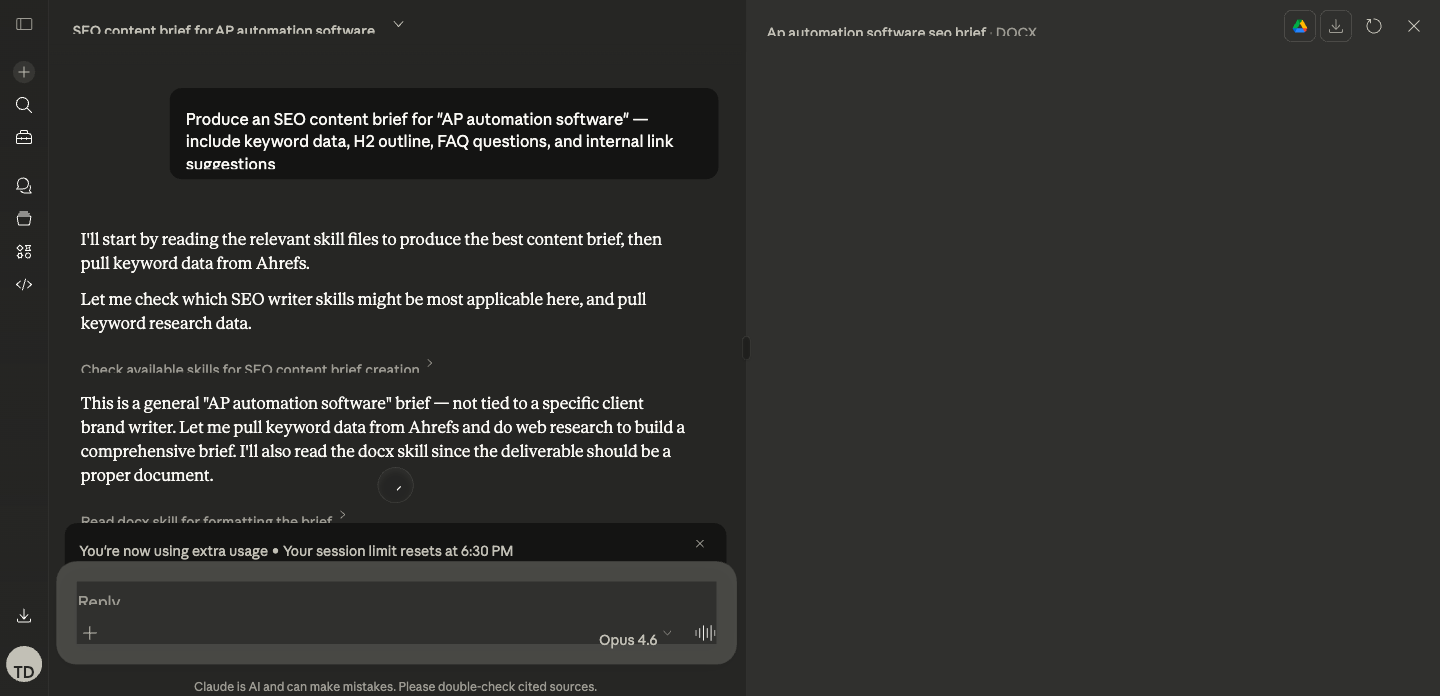
Here is the complete workflow architecture. Each stage exists for a specific reason, and the model assignments are deliberate.
Stage 1: Input and SERP Discovery (Nodes 1 to 5)
The workflow starts with two inputs: a primary keyword and a brand kit (client name, persona, tone, competitor exclusions).
Node 1: Input. The operator enters the target keyword. For this walkthrough, we will use "best AI SEO tools" as our example.
Node 2: Google Search. The Skill searches Google for "best AI SEO tools" and returns the top 5 organic results.
Node 3: Python filter. A Python node strips out non-content URLs. The filter excludes domains like facebook.com, linkedin.com, reddit.com, g2.com, capterra.com, and other platforms that rank but do not represent the type of content we are analyzing. For "best AI SEO tools," this typically removes a G2 category page and a Reddit thread, leaving three to five actual blog posts or guides.
Why filter? Because competitor H2 analysis on a Reddit thread or G2 listing produces garbage structural data. The Skill needs real content pages.
Nodes 4 to 5: Loop start. The workflow enters a loop, processing each filtered URL individually.
Stage 2: Competitor Deep Analysis (Nodes 6 to 12)
This is where the pipeline does work that would take a human 30+ minutes per competitor.
Node 6: Web Scrape. Each URL is scraped for its full HTML content.
Node 7: Convert to Markdown. Raw HTML is converted to clean markdown, making it parseable for the AI analysis steps.
Node 8: GPT-4o extraction. This is the first AI model in the chain. GPT-4o receives the markdown content and extracts a structured outline: every H1, H2, and H3 with brief summaries of what each section covers.
Why GPT-4o for this step? Extraction is a parsing task, not a creative task. GPT-4o handles structured parsing efficiently and cheaply. Using Claude Opus here would cost 3x more and add latency without improving extraction quality.
Node 9: Semrush URL organic keywords. Simultaneously, the Skill calls Semrush MCP to pull the top 10 organic keywords each competitor URL ranks for. This reveals which terms Google associates with each piece of content.
Node 10: GPT-4o-mini keyword extraction. The Semrush data gets cleaned and structured into a keyword list per URL.
Node 11: GPT-4o-mini FAQ analysis. Each competitor page is analyzed for FAQ content, "People Also Ask" patterns, and question-based subheadings.
Node 12: JSON conversion and loop end. All per-URL data (outline, keywords, FAQs) is packaged into a JSON object. The loop repeats for each URL, then ends.
At this point, the Skill has a structured dataset for every ranking competitor: their H2/H3 structure, their ranking keywords, and their FAQ coverage.
Stage 3: Keyword Intelligence (Nodes 13 to 15)
Node 13: Semrush related keywords. The Skill pulls 100 related keywords for the primary term, filtered by relevance score (threshold: 0.13). For "best AI SEO tools," this returns terms like "AI SEO software," "AI tools for content optimization," "automated SEO platform," and dozens more.
Node 14: Python relevance filter. A Python node filters the related keywords further, removing terms below the relevance threshold and deduplicating against the competitor keyword data already collected.
Node 15: Semrush related questions. The Skill pulls 50 related phrase questions. These become the raw material for the FAQ section of the brief.
Stage 4: Intelligence Synthesis (Nodes 16 to 21)
Here is where the AI models do strategic work, not just extraction.
Node 16: Sonar Pro persona analysis. Sonar Pro researches the target persona and search intent for the keyword. It searches the live web to understand who is searching for "best AI SEO tools," what they are trying to accomplish, and what level of expertise they bring. This produces persona context that shapes the brief's angle and tone.
Why Sonar Pro? Because persona research requires current web intelligence that neither Claude nor GPT have natively. Sonar Pro's real-time search capability fills that gap.
Node 17: GPT-4o-mini header analysis. Analyzes the common H2 and H3 patterns across all competitor outlines. For our "best AI SEO tools" example, it might find that 4 out of 5 competitors have an H2 about "What is AI SEO," 3 out of 5 have a comparison table section, and only 1 covers implementation considerations. The gaps in common coverage become differentiation opportunities.
Node 18: GPT-4o FAQ compilation. Compiles the FAQ data from competitor analysis (Node 11) with the related questions from Semrush (Node 15) into a deduplicated, prioritized FAQ list.
Node 19: GPT-4o title generation. Generates 5 title options based on all collected data. For "best AI SEO tools," the output might include:
- "Best AI SEO Tools in 2026: 12 Platforms Tested and Compared"
- "AI SEO Tools That Actually Work: A Hands-On Review for B2B Teams"
- "The Best AI SEO Tools for SaaS Companies (With Pricing and Results)"
- "12 AI SEO Tools Worth Your Budget in 2026"
- "AI SEO Tools Compared: Features, Pricing, and Real Performance Data"
Node 20: Human Review. The pipeline pauses. A human reviews the 5 title options and selects one (or writes a custom title). This is the human-in-the-loop step.
Why pause here? Because title selection involves editorial judgment: brand positioning, editorial calendar context, competitive angle, and gut feel about what will resonate. We tested fully automated title selection. Usable output dropped from 95%+ to about 90%. That 5% gap matters when you are producing content at scale.
Node 21: GPT-4o slug analysis. After title selection, the Skill generates URL slug recommendations based on the chosen title and keyword data.
Stage 5: Final Analysis and Brief Generation (Nodes 22 to 25)
Node 22: Claude Sonnet 4 full analysis. This is the heavyweight step. Sonnet 4 receives everything: competitor outlines, keyword data, FAQ compilation, persona research, header analysis, selected title, and the full Direction prompt. It produces a 9-section analysis document:
- Persona analysis: who is searching, what they need, expertise level
- Competitor analysis: strengths and weaknesses of each ranking page
- Keyword insights: primary, secondary, and related term mapping
- Article synthesis: what the content landscape looks like and where opportunities exist
- Initial outline: first-pass H2 structure based on data
- Positioning notes: how this piece should differ from competitors
- Outline evaluation: self-critique of the initial outline
- Final refined outline: improved outline incorporating the evaluation
- Slug recommendation: URL structure with rationale
Why Sonnet 4 for this step? Because strategic synthesis across multiple data sources is exactly what Sonnet 4 excels at. It holds the full context (competitor data, keyword intelligence, persona research) in a single pass and produces nuanced analysis. GPT-4o would produce adequate output here, but Sonnet 4's reasoning depth shows in the positioning notes and outline evaluation sections.
Node 23: Claude Sonnet 4 writer-ready brief. A second Sonnet 4 call takes the full analysis document and distills it into a writer-ready brief: streamlined, actionable, formatted for handoff. This is the deliverable your writer actually opens.
Node 24 to 25: JSON output. The final nodes package both the analysis document and the writer-ready brief into structured JSON output, ready for delivery to Notion, Google Docs, or any other destination.
What the Output Actually Looks Like
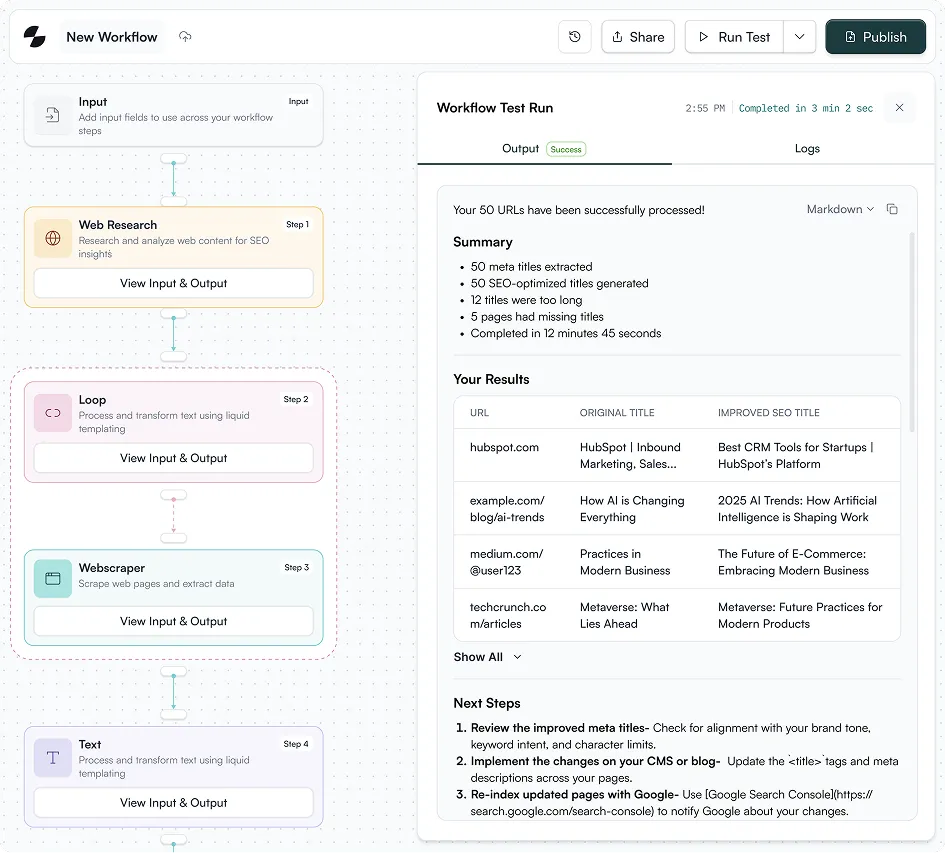
Here is an excerpt from a real brief generated for the keyword "best AI SEO tools":
TARGET KEYWORD: best AI SEO tools
Volume: 2,400/mo | CPC: $4.80 | KD: 47
SEARCH INTENT: Commercial Investigation
PERSONA: SEO managers and content leaders at B2B SaaS companies
(50-500 employees) evaluating AI tools for their content workflow.
Mid-to-advanced SEO knowledge. Budget authority or strong
influence on tool purchases.
RECOMMENDED H1: Best AI SEO Tools in 2026: 12 Platforms Tested
and Compared
CONTENT ANGLE: Most "best AI SEO tools" listicles rehash feature
lists from vendor marketing pages. This piece differentiates by
including hands-on test results (speed, output quality, integration
depth) from our team's actual usage across client campaigns.
H2 OUTLINE:
1. What Makes an AI SEO Tool Worth Using in 2026
2. How We Tested These Tools
3. The 12 Best AI SEO Tools (with comparison table)
4. Best for Content Optimization: [Tool]
5. Best for Technical SEO Audits: [Tool]
6. Best for Keyword Research: [Tool]
7. Best for Link Building: [Tool]
8. How to Choose the Right AI SEO Tool for Your Team
FAQ:
- What is the best free AI tool for SEO?
- Can AI replace manual keyword research?
- How accurate are AI-generated SEO recommendations?
- What AI SEO tools integrate with Google Search Console?
- Are AI SEO tools worth it for small teams?
INTERNAL LINKS:
1. [AI SEO agency services](tripledart.com/ai-seo-agency) - P1
2. [generative engine optimization](tripledart.com/ai-seo/generative-engine-optimization) - P2
3. [SEO automation guide](tripledart.com/saas-seo/seo-automation) - P4
SCHEMA: Article (ItemList for the tool comparison section)
WRITER NOTES: The differentiation angle depends on including
real test data. Prioritize tools our team has used on client
accounts. For tools we haven't tested directly, note that
clearly. The "How We Tested" section is what separates this from
every other listicle ranking for this term.
That is what a writer receives. Not a vague "write about AI SEO tools" directive. A complete foundation that removes guesswork before they open a blank document.
The Direction Prompt That Makes This Work
The quality of the output depends almost entirely on the Direction prompt in Nodes 22 and 23. Here is the structure (not the full prompt, which runs several hundred words, but the architecture):
ROLE: You are a senior B2B SaaS content strategist producing
SEO content briefs. Your briefs are used by professional writers
who expect precise, actionable direction.
INPUTS PROVIDED:
- Competitor outlines with H2/H3 structures and summaries
- Organic keyword data per competitor URL (top 10 terms each)
- 100 related keywords filtered by relevance
- 50 related questions from Semrush
- Persona and search intent analysis from Sonar Pro
- Common H2/H3 header frequency analysis
- Compiled FAQ list
- Selected title
OUTPUT: A 9-section analysis document.
Section 1 - PERSONA ANALYSIS:
Define the searcher. Job title, company size, expertise level,
what they are trying to accomplish, what they already know.
Ground this in the Sonar Pro research, not assumptions.
Section 2 - COMPETITOR ANALYSIS:
For each ranking page: what it covers well, what it misses,
its structural approach, its keyword coverage. Be specific.
"Competitor A covers pricing but buries it below the fold"
is useful. "Competitor A has good content" is not.
Section 3 - KEYWORD INSIGHTS:
Map primary, secondary, and related terms to specific sections.
Every H2 should target at least one keyword cluster.
[Sections 4-9 continue with equal specificity...]
RULES:
- Every H2 must serve a distinct search intent.
- The outline must address gaps ALL competitors missed.
- FAQs must come from actual query data, not generated questions.
- Positioning notes must include at least 2 concrete
differentiation angles with evidence from the competitor data.
- The outline evaluation must identify at least 1 weakness
in the initial outline and fix it in the refined version.
The precision of these instructions is what separates a 10-minute Skill-generated brief from a 10-minute ChatGPT-generated brief. Both take the same time. The Skill version pulls live data, follows documented rules, and produces consistent quality because the Direction encodes the methodology of a senior strategist.
The Model Selection Logic
Four models handle different jobs in this pipeline. The assignments are not arbitrary.
Switching to a single Claude Opus pipeline would increase cost by roughly 3x and latency by 2x while reducing extraction accuracy on the parsing steps. The multi-model architecture is a production decision, not a preference.
This principle extends beyond briefs. Our keyword research Skill uses a similar multi-model approach. The external linking engine pairs Claude Opus for anchor extraction with Sonar Deep Research for source verification. Each model handles the task it is best suited for.
Client-Specific Configuration
Each client gets a Direction prompt variant within the same 25-node pipeline. The variant controls:
- Buyer persona: CISO vs. VP Marketing vs. Developer produces different briefs for the same keyword
- Tone: Technical authority vs. conversational vs. formal enterprise
- Competitor exclusions: which domains to exclude from analysis
- Internal link pool: the client's sitemap for link suggestions
- Vertical instructions: fintech briefs add compliance considerations; cybersecurity briefs add threat landscape context
Adding a new client to the system takes 45 to 60 minutes. Most of that time is writing the Direction prompt variant. The workflow architecture stays identical.
Batch Mode: 20 Briefs in 25 Minutes
For clients with a quarterly content calendar, the Skill runs in batch mode. A list of target keywords feeds into the workflow, and the Skill processes each sequentially, outputting a complete brief per keyword.
The batch input feeds directly from the keyword research Skill priority list. HIGH priority keywords from research output become the batch input for brief generation. The strategist reviews and approves the priority list. From approval to 20 populated briefs: 25 minutes.
That is a full quarter of content, briefed and organized, in less time than manually creating two briefs.
How It Chains From Keyword Research
The keyword research Skill identifies target terms and scores them by priority. The strategist reviews the output and approves a set of keywords. Those approved keywords flow into the content brief Skill as batch input.
The chain continues downstream. Brief output feeds into the content draft Skill. Drafts feed into fact-checking. Fact-checked drafts feed into the humanizer. Humanized content feeds into the internal linking engine, then external linking, then publication to Webflow.
The full chain: keyword research, content brief, blog draft, fact-check, humanize, internal linking, external linking, publish. Eight Skills, connected. Each one's output becomes the next one's input.
That chain is what content marketing at scale looks like when the plumbing works.
Common Mistakes When Automating Content Briefs
Trusting the output without checking the SERP. The Skill gives you a data-backed recommendation, not a final answer. For your highest-priority pieces, always verify the SERP yourself. When SERPs are in flux (algorithm update, emerging topic), the Skill captures a snapshot that may shift within weeks.
Ignoring the gap competitors all missed. Just because four competitors use the same H2 does not mean you should too. The Skill's competitor analysis shows you what everyone covers. The opportunity is often in what nobody covers. Use the output as intelligence, then apply editorial judgment for differentiation. That is the foundation of content optimization that ranks.
Skipping the human-in-the-loop step. Full automation is tempting. Resist it for title selection. The 5% quality gap between automated and human-reviewed titles compounds across hundreds of articles into a measurable editorial quality difference.
Over-engineering v1. Your first version does not need conditional branching for every content type. Ship a working Skill. Run it 50 times. Build v2 based on what actually broke, not what you imagine might break.
TripleDart's content brief Skill has run thousands of briefs across B2B SaaS clients in SEO, fintech, and cybersecurity verticals. The 25-node pipeline took months of iteration to reach production quality, and we have open-sourced the architecture in this guide so you can skip the trial-and-error phase. If you want to see the live output or get the full Direction prompt template for your team, we are happy to walk you through it.
Book a meeting with TripleDart
Try Slate here: slatehq.com
Frequently Asked Questions
Can Claude Skills replace a human content strategist?
No. The Skill handles the 80% that is tedious data gathering and structural analysis. The strategist handles the 20% that requires judgment: the content angle, the brand voice, the competitive positioning. The human-in-the-loop title selection step exists precisely because that judgment matters.
How long does it take to build this Skill from scratch?
The 25-node pipeline took us several days of build and testing to reach production quality. A simpler version (fewer nodes, single model) can be built in 3 to 4 hours. The Direction prompt testing is where most of the time goes.
What data sources does the Skill pull from?
Google Search (top 5 results), Semrush via MCP (URL organic keywords, related keywords, related questions), web scraping (competitor page content), and Sonar Pro (live persona and intent research).
Do I need coding skills?
No. Slate's workflow builder is visual. The Python nodes in our pipeline are simple filters (exclude certain URL patterns, format JSON), and Slate provides templates for common patterns. You configure nodes and prompts, not code.
How does it handle different content types?
The SERP data naturally reflects content type. If the top 5 results are all listicles, the competitor H2 analysis will surface listicle structures, and Claude Sonnet 4 will recommend a listicle format. You can also maintain separate Direction prompt variants for specific formats (listicle, comparison, how-to, long-form guide).
Can the same Skill serve multiple clients?
Yes. Each client gets a Direction prompt variant within the same 25-node pipeline. Adding a new client takes 45 to 60 minutes of configuration, mostly writing the Direction prompt variant.
How often should I update the Direction prompt?
Review after every 50 outputs. Pull a random five-output sample and compare against your quality bar. Quarterly audits are standard. We track which failure patterns trigger Direction updates so each version is an intentional improvement.
What if the target keyword has minimal SERP data?
The Skill flags low-data keywords in the writer notes. For emerging topics with thin SERPs, the brief leans more on related keyword clusters and Sonar Pro's persona research rather than trying to pattern-match against content that does not exist yet. The analysis document's positioning notes section becomes especially important for these cases.
How does this chain into the rest of the content workflow?
The brief output feeds directly into the content draft Skill as structured input. From there, drafts flow through fact-checking, humanization, internal linking, external linking, and CMS publication. Each Skill's output format is designed to match the next Skill's input requirements.

summarize with ai


