
Google Ads now limits daily data to 37 months
As of June 1, day-level Google Ads history only reaches back to about May 2023. Older granular data is gone, and the line that decides what survives moves forward one more day every day.

Contributor

Smrithi Ganesh
Content Engineer
In this article
On June 1, Google Ads started deleting data.
The campaigns and settings are fine. What goes is the history. Any daily or hourly report older than 37 months left the interface and the API on that date, and there is no way to pull it back.
The story
For the SaaS accounts we run paid on, the heads-up went out the morning the policy did. Google had announced it back in May, on its Ads developer blog, and it took effect on June 1.
Here is the shape of it. Granular reporting, the daily and hourly breakdowns inside a month, is now kept for 37 months. Monthly and longer aggregates keep their old 11-year window. Reach and frequency metrics get the shortest leash of all, three years.
Once a report passes its limit, it leaves both the Google Ads interface and the API. Google frames the change as routine storage and privacy housekeeping, in line with US state privacy laws. The full retention table sits on its help page.
For teams that run year-over-year audits off day-level history, the clock started two weeks ago.
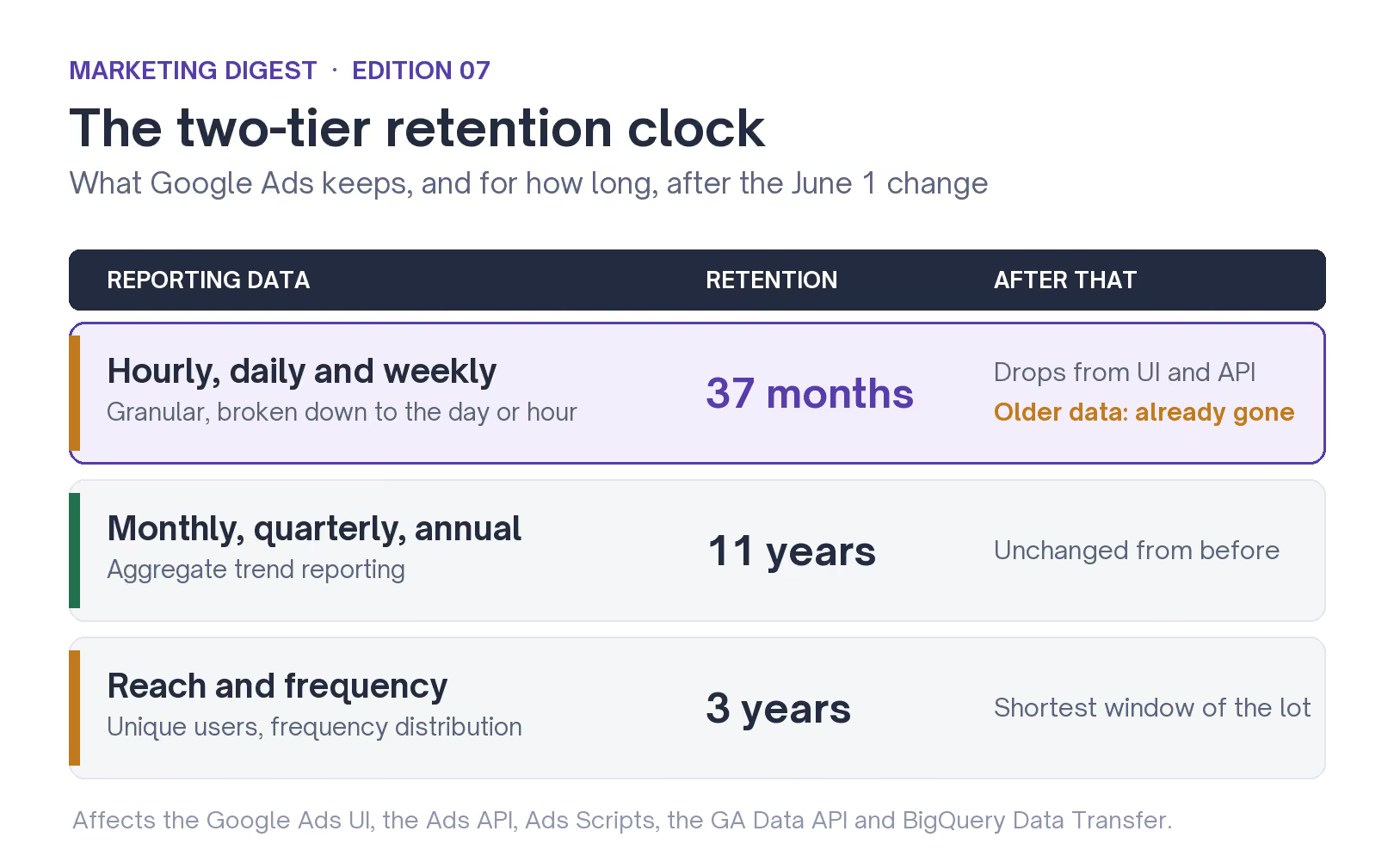
The two-tier clock: granular data now expires at 37 months while aggregate reporting keeps its 11-year window.
The line keeps moving
One detail decides how much you lose: the 37-month window rolls forward. It moves one day, every day.
Right now it sits near May 2023. Tomorrow it sits a day later. So the 2022 baseline you can still catch a few traces of this week keeps shrinking, and any gap between deciding to save your history and getting the export done gets measured in data you no longer have.
The reach goes wider than Google Ads itself. The same rule touches every tool that pulls from it: internal dashboards, BI tools, Sheets exports, third-party analytics. Past the line, the Google Ads API hands back a DateRangeError instead of rows.
For a seasonal business running year-over-year comparisons, that surfaces as under-reported impressions and clicks for older periods, which makes a trend look weaker than it was and can steer a budget the wrong way.
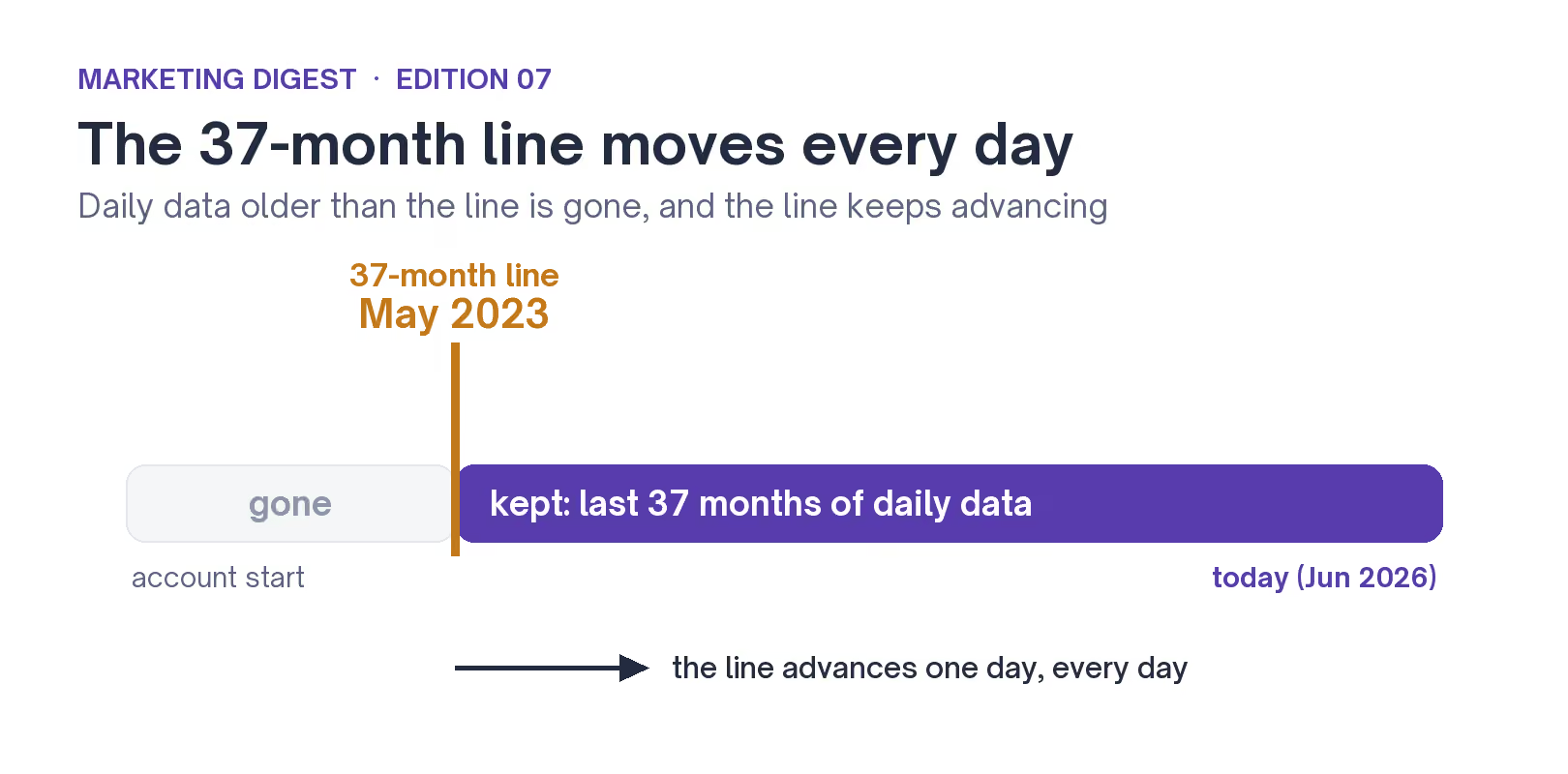
The line is rolling. Today it sits near May 2023 and advances one day, every day.
Why agencies feel this first
If you run paid for other companies, this one lands on you hardest.
Your edge is often the multi-year history a client never kept for themselves. The account you inherited mid-flight, the seasonal benchmark you pull every Q4: both lean on day-level data that now carries a built-in expiry. A routine Q4 pull this December will no longer reach the 2022 daily baseline you compared against last year.
And most teams are not set up to absorb that. When we pulled the numbers for our 2026 SaaS PPC report, only 43% of B2B SaaS companies had full-funnel reporting in place. The rest were trusting the platform to hold a record they had never copied anywhere else.
That gap was survivable before June 1. Now it comes with a deadline, and the accounts with the richest history have the most to lose. It is the reason agencies that run paid at scale tend to warehouse client data the moment they take over an account, well before a policy like this arrives.
Where a rushed export goes wrong
The instinct, reasonably, is to export everything this week. Worth doing. Just know that each surface behaves differently once you cross the 37-month line, and a couple of them fail without telling you.
- Google Ads API fails loudly. A query past 37 months throws a DateRangeError, so you know the data is missing.
- GA Data API stays quiet. It trims to the last 36 months with no error, so a script can look like it worked while dropping the oldest months.
- BigQuery transfers can overwrite. A backfill that reaches past the line can replace stored history with blanks, so a frozen snapshot table is safer than a live transfer.
- DV360 and CM360 are untouched. They keep their existing retention, so the cut is a Google Ads and GA story.
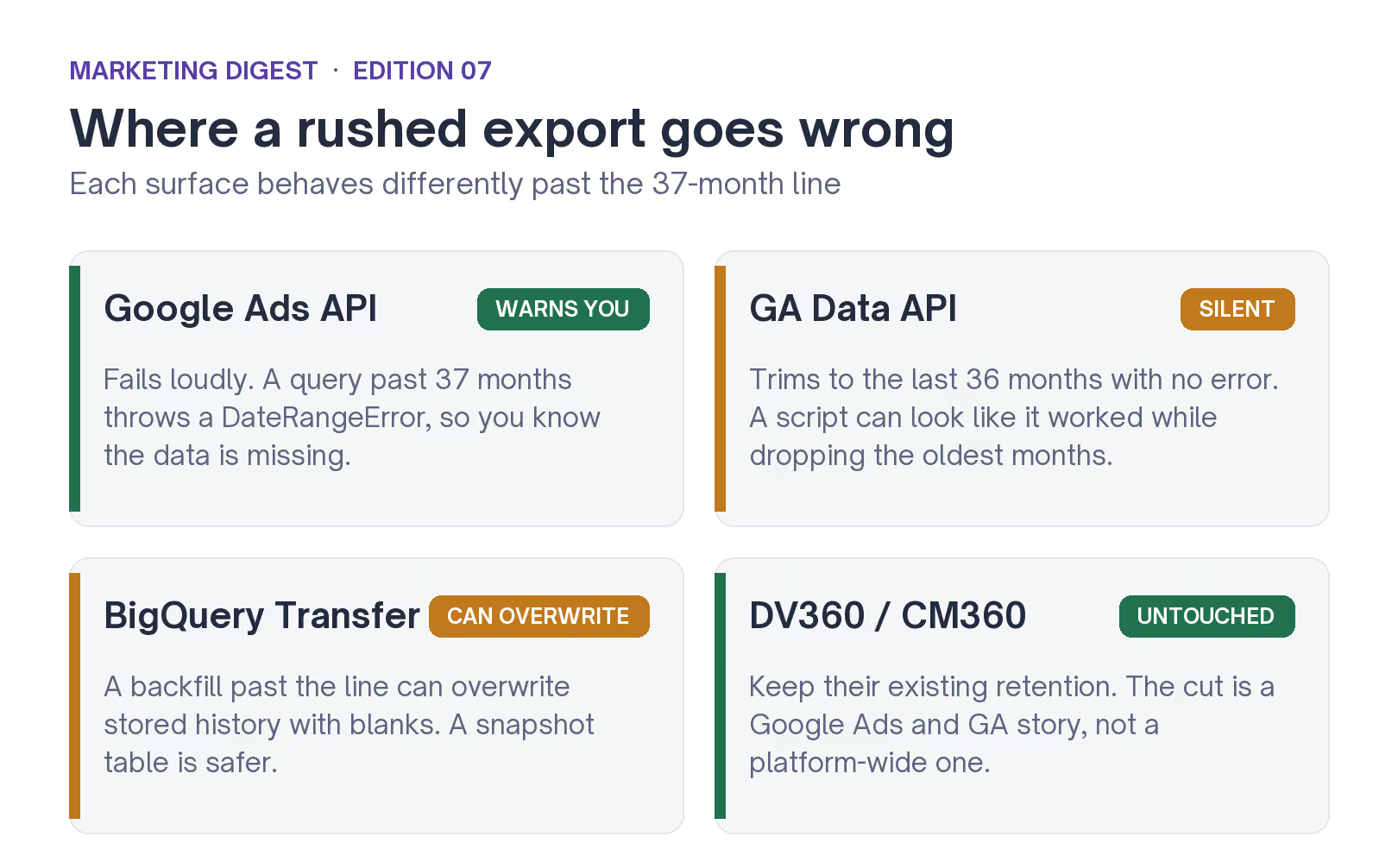
Some surfaces warn you. The silent ones are the expensive ones.
What to do this week
So, this week. Two jobs: pull the old data out, and stop trusting Google to keep it for you.
- Pull the back catalog first. Get every day-level report near the 37-month limit while it is still queryable, at the campaign and ad-group level. Add weekly search-term history for negative-keyword work, and don't skip reach and frequency, which expires a year ahead of everything else.
- Put it somewhere you own. BigQuery, a warehouse, a database, anywhere that survives the next policy change. Then schedule a monthly append so your copy keeps pace with the rolling line.
- Check your backfills before they bite. Connectors and transfer jobs that refill history can overwrite good rows with blanks once the source empties. Freeze or snapshot them now.
- Write down what you did. A short retention note, what gets pulled and where it lands, keeps the next person, and the next audit, from guessing.
If you want a second set of eyes on what to pull and where to keep it, compare notes with us.
Get the exports done. The rest can wait.