
Performance Max just opened its audience data. Here's what's worth using.
Google filled in the Performance Max audience menu: segments, performance, age and gender, and the customer exclusions you couldn't set before. It's more to look at than to change, and for B2B SaaS only part of it earns your time.
Contributor

Abishek Balaji
Content Marketing Manager
In this article
For two years, Performance Max has been the campaign you can't see inside. You set a budget and a goal, and trusted Google to spend it on the right people. The audience layer stayed a black box. This month that changed: Google has been filling the Performance Max audience menu with data it never used to show you, and it's sitting in your account right now.
The story
Performance Max is Google's most automated campaign type. You give it a budget, some creative and a goal, and it decides where the ads run and who sees them across Search, YouTube, Display, Gmail and Maps. The trade for that reach has always been visibility. You couldn't see much about the audiences it picked. That's the part that's changing.
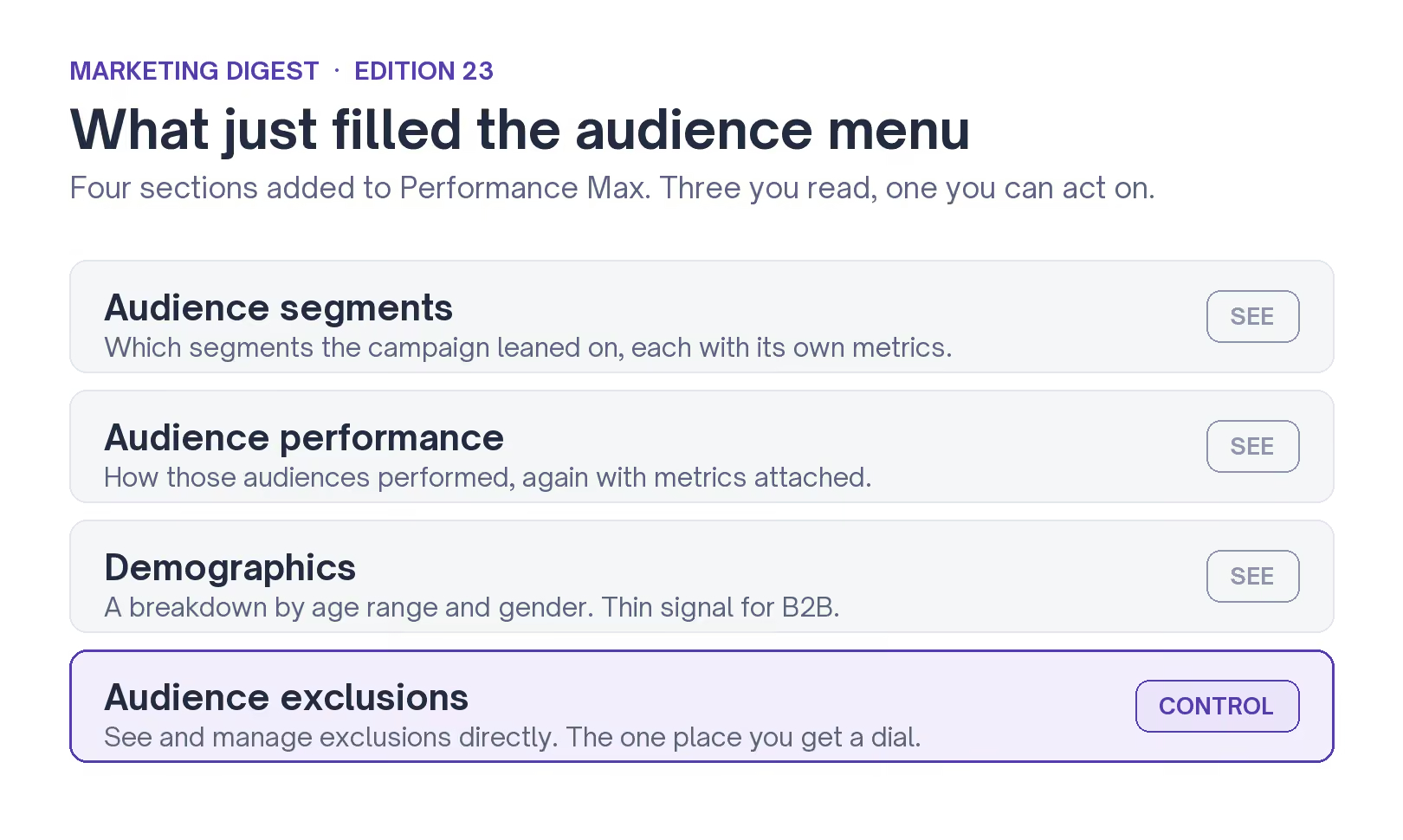
Google is putting four things into the audience menu. Audience segments, each with their own metrics. Audience performance, again with metrics. A demographics view split by age and gender. And a place to see and manage audience exclusions directly, rather than digging for the setting.
Google announced these steering and reporting updates earlier this year, and they've been rolling out to accounts since. Search Engine Journal has the full list, along with the budget report and network placement reporting that came with it.
Google's own line is that it's moving past "driving performance" toward helping you understand "the why" behind the numbers. The people who cover paid search read it more plainly. Brooke Osmundson at Search Engine Journal put it this way: "This rollout is more useful than groundbreaking, but that does not make it insignificant." That's about right.
Can you finally control who Performance Max targets?
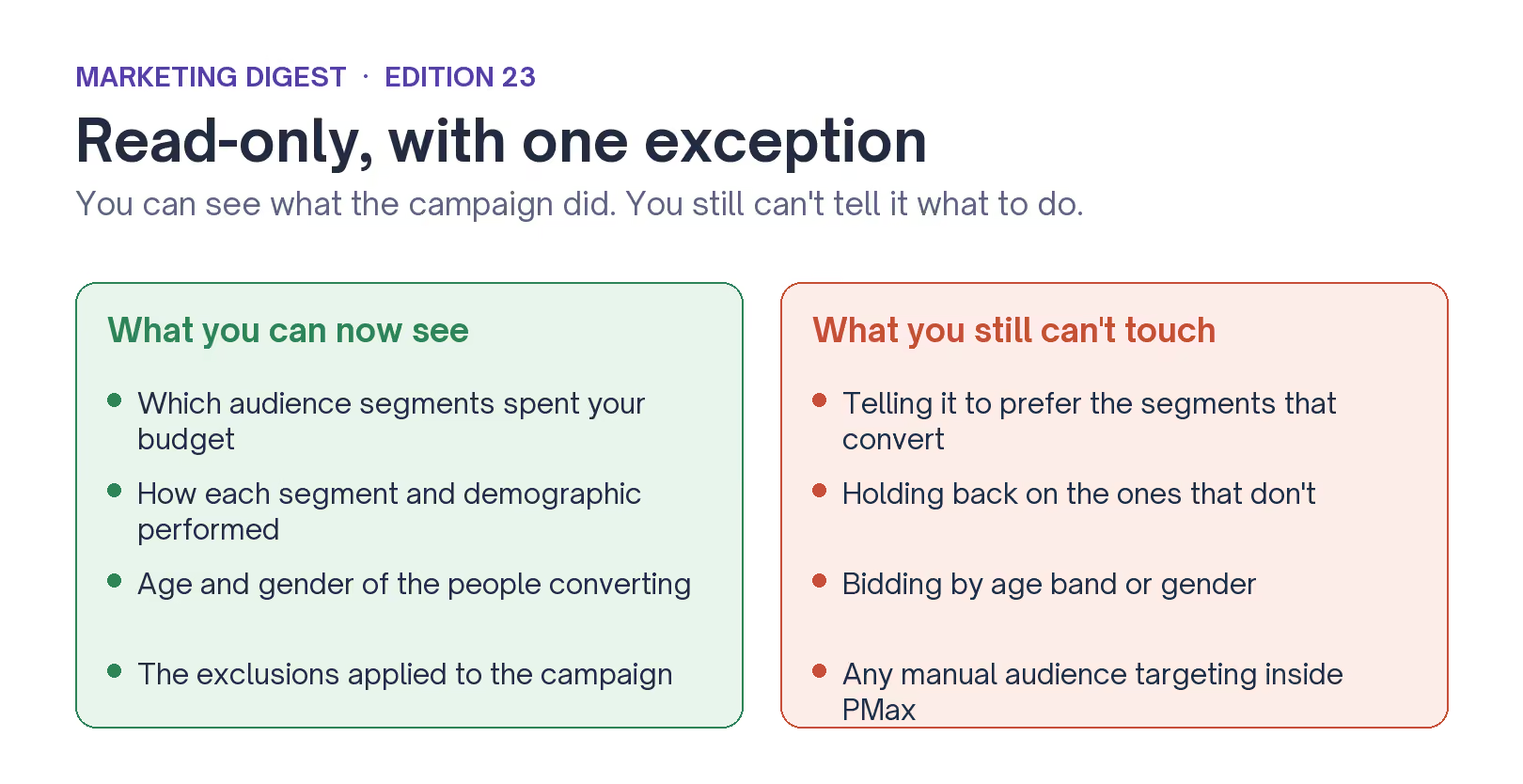
Not much. You can now see which audience segments and age bands Performance Max spent your money on, but the reports are read-only. You still can't tell the campaign to prefer the segments that convert or hold back on the ones that don't.
That's genuinely useful. Most advertisers were flying blind on which audiences the campaign used, and now they can see it.
But seeing which segment performed is a different job from choosing it. You get to check Google's work after the fact. You can't overrule it.
One control does break that pattern, and it's the one B2B teams should care about most.
The exclusion worth turning on this week
First-party audience exclusions let you upload a customer list and tell Performance Max to leave those people alone. That sounds small.
But for a B2B SaaS company paying for new pipeline, it's the most valuable switch in the whole update.
On the B2B SaaS Performance Max accounts we run, the segments the campaign leans on hardest are almost always brand searchers and people who look like accounts already in the CRM. For a retailer chasing repeat purchases, that's fine. For a SaaS company measured on new logos, it means part of the budget goes to re-touching accounts you've already closed or are already working. The exclusion list is the first time you can cut that without switching the campaign off.
A few weeks back, Google added a control to keep AI Max off-brand. This is the same thread. Google is handing back one dial at a time on its automated campaigns, and each dial is about aiming spend at people you don't already have.
What the rest of the menu is worth to a B2B SaaS team
Start by ignoring most of the demographics view. Age and gender tell you almost nothing about a buying committee. Your buyer is a job title at a company, and their age doesn't decide whether they sign. If Performance Max reports that most of your conversions skew to one age band, that's noise you can't act on and shouldn't try to.
The audience segments and performance reports are worth more, but as an audit rather than a dashboard. Read them once a month with one question: is Performance Max finding new accounts, or is it spending on the brand and existing-customer traffic you'd have won anyway? If it's the second, the campaign is taking credit for demand you already created.
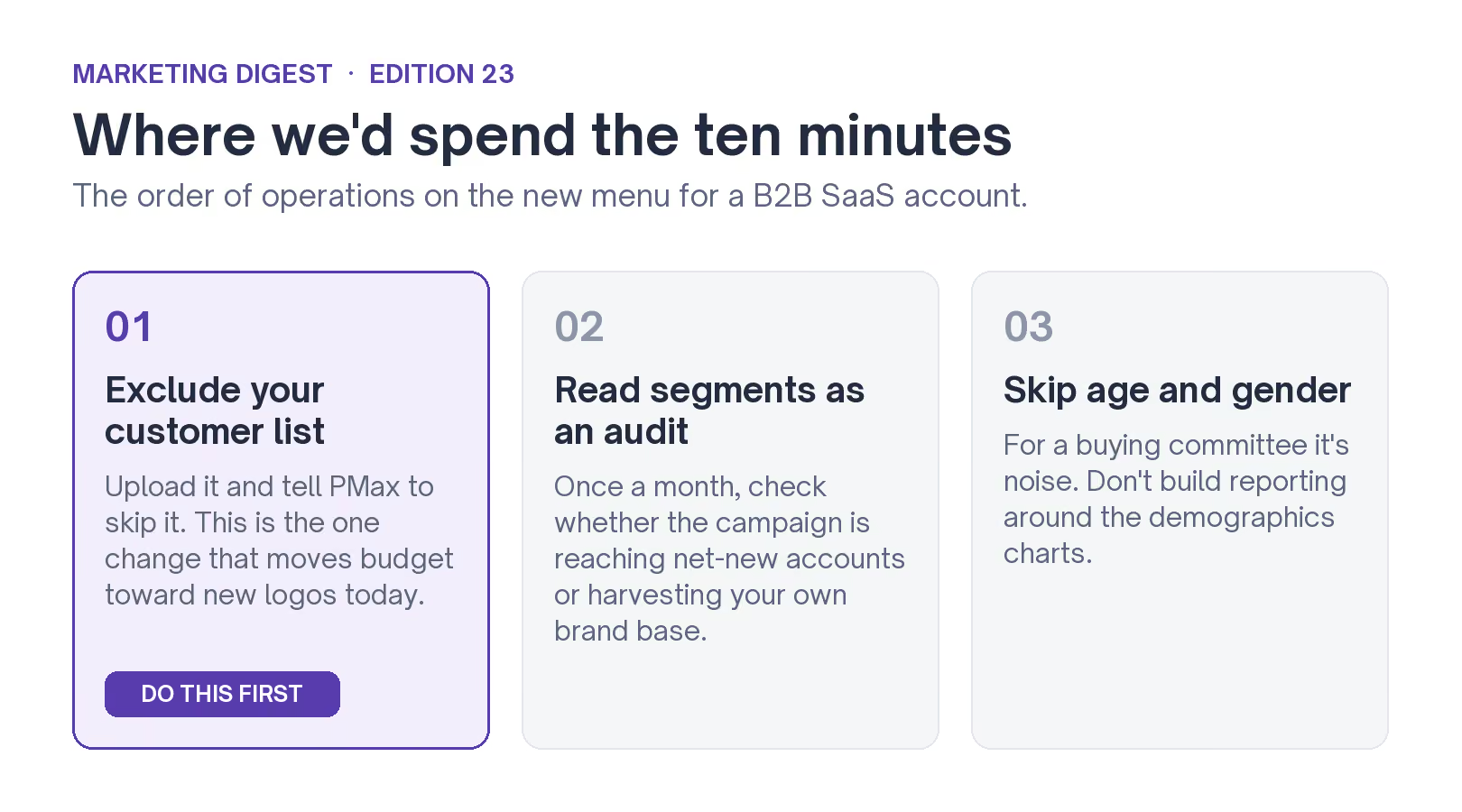
Here's where we'd spend the ten minutes this update is worth:
- Upload your customer list and exclude it. This is the one change that moves budget toward new logos today. Do it first.
- Read the segments as an audit. Once a month, check whether the campaign is reaching net-new accounts or harvesting your own brand base.
- Skip the age and gender charts. For B2B they're a distraction. Don't build reporting around them.
The update shows you more than it lets you change. For B2B SaaS the move is to turn on the customer-list exclusion so your budget chases new accounts, and treat the rest as a monthly check on whether Performance Max is buying you new buyers or billing you for the ones you already had. If you want a hand reading what your audience data is saying, book a call.