
Three Google Ads Bidding Changes Coming This Summer
One of them has a deadline of August 17 and can push your costs up. The other two are upside you can turn on. Here's the plain version of each.

Contributor

Abishek Balaji
Content Marketing Manager
In this article
Most B2B SaaS paid search runs on Google's automated bidding now. You set a target or a budget, and the system decides what to bid on each auction.
This summer Google is changing how that automation behaves across three separate updates, and one of them you'll want to sort out before a deadline of August 17.
The story
Google has been rolling out bidding and budgeting changes all year. Three of them matter for paid teams right now.
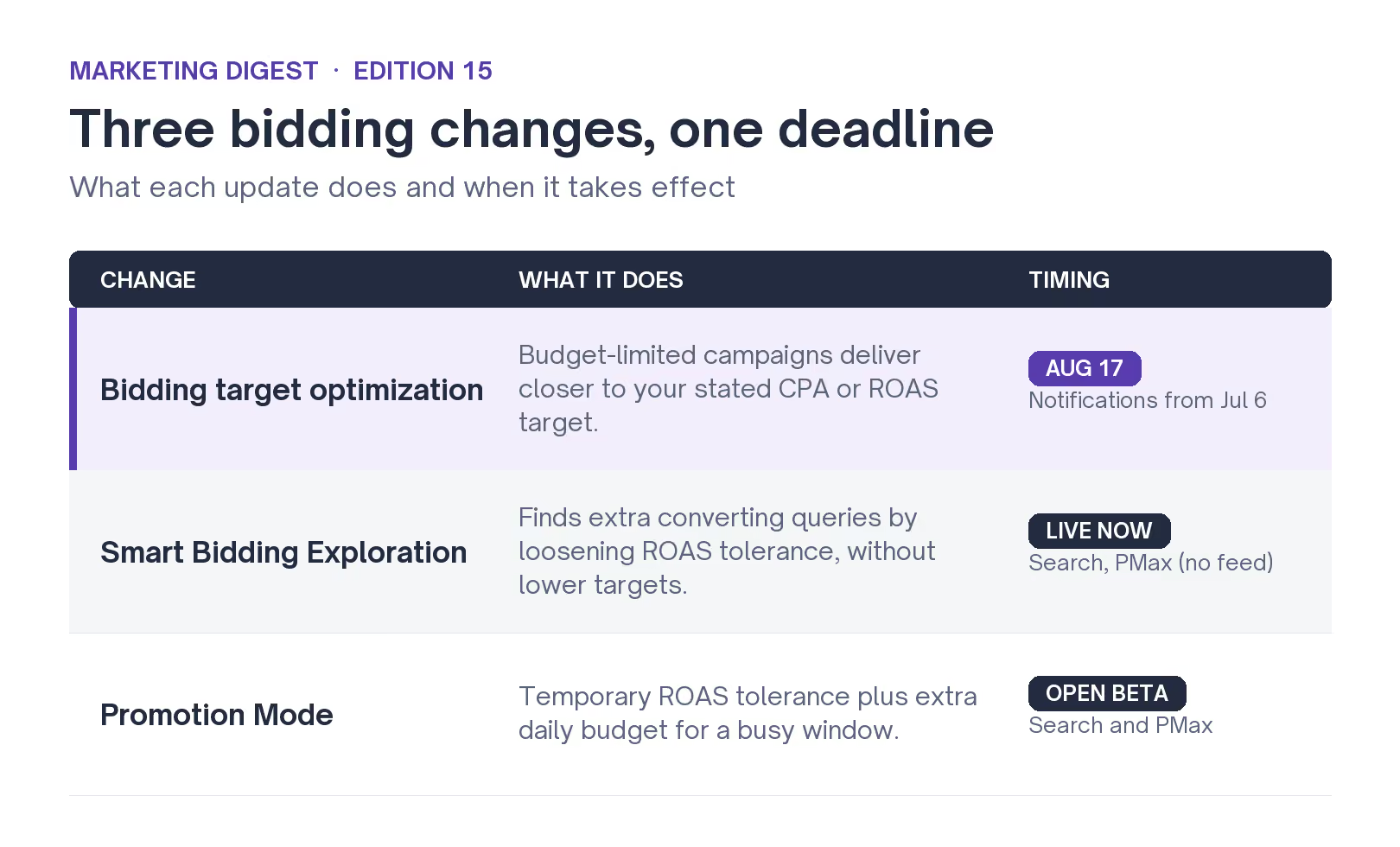
- The first is a backend change to how budget-limited campaigns chase their targets, and it has a date on it: August 17.
- The second, Smart Bidding Exploration, has gone global and now reaches more campaign types.
- The third, Promotion Mode, is a new beta for temporary budget and target changes around busy periods.
A couple of weeks back we looked at Google's AI Max controls for branded search. This summer's bidding updates rhyme with that.
Google keeps moving the steering into its own models and handing you fewer, blunter dials to work with. So the job each time is the same: understand what the model is now allowed to do, and reset your inputs before it does something you didn't plan for.
Search Engine Land's Anu Adegbola and Search Engine Journal's Brooke Osmundson both flagged the August 17 change as the one that needs action, because it can move what you pay. That's the one to start with.
The August 17 change for budget-limited campaigns
This is the only update with a hard date, and the one that can raise your costs without you touching anything.
Google is updating how campaigns that are limited by budget deliver against their targets. Its bidding target optimization change is meant to help these campaigns perform more predictably against the targets you set, especially as you raise the budget.
Here's what that means in practice:
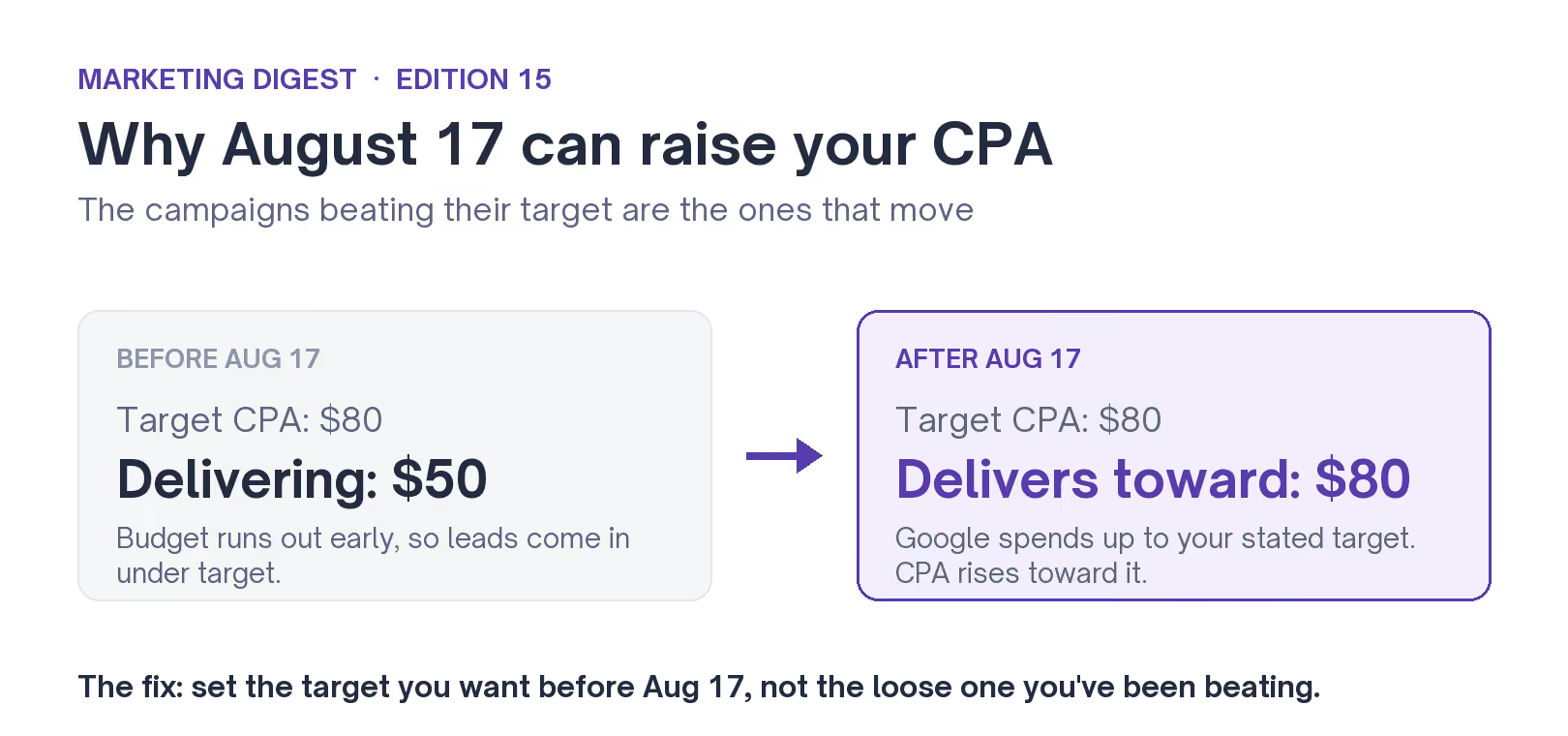
Take a campaign with a loose Target CPA, one set well above what it delivers. Because the budget runs out early, it has been bringing leads in cheaper than the target asks for. Right now that gap is in your favor.
But after August 17, Google will let the campaign spend up toward the higher target you set, so your cost per lead can climb toward that number. Volume usually rises with it, and so does the price.
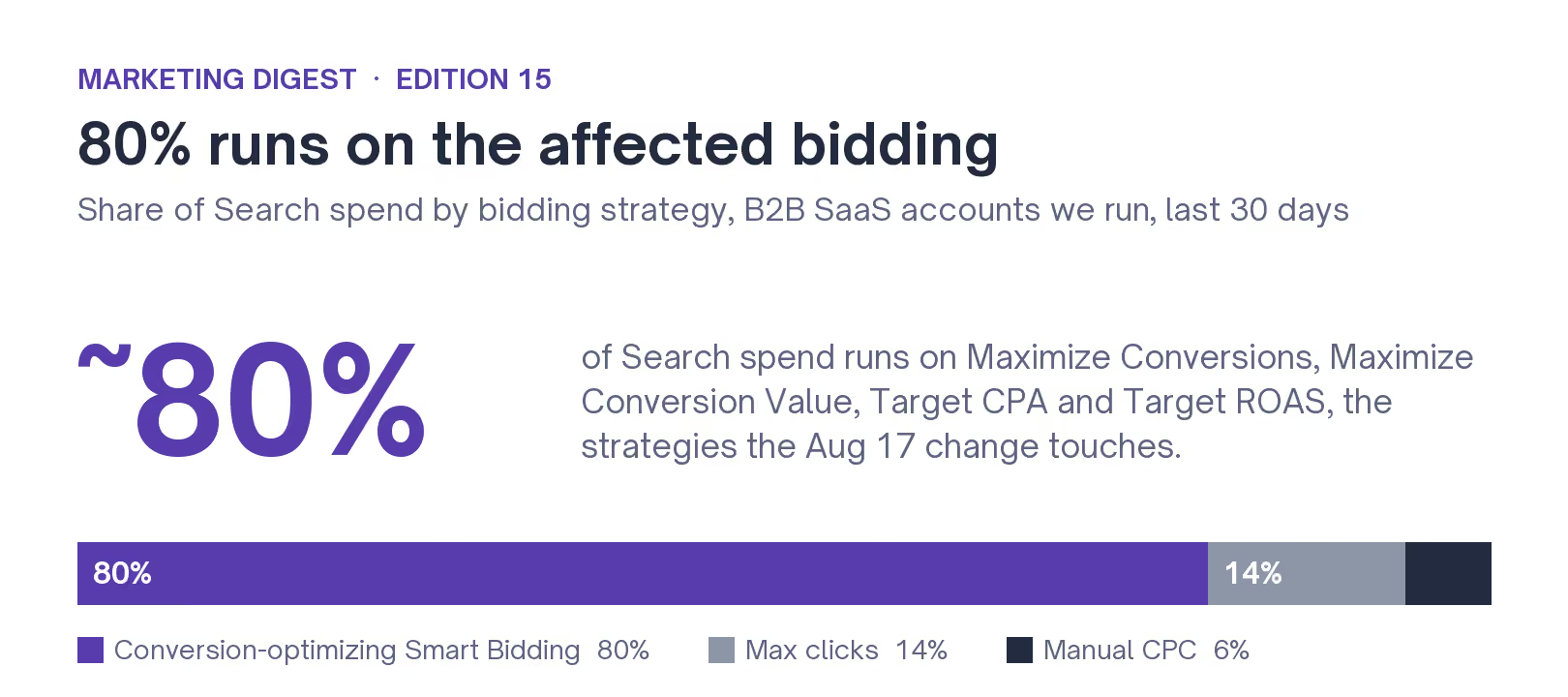
It only touches campaigns that run on a target and hit their budget cap. On a B2B SaaS account, that describes most of the spend. Over the last 30 days, across the B2B SaaS Search accounts we run, about 80% of budget runs on the four bidding strategies this change covers: Maximize Conversions, Maximize Conversion Value, Target CPA and Target ROAS. Most of it is Maximize Conversions, which spends to a capped budget by design. So for the majority of accounts, this touches the bulk of the paid search budget.
Google notifies you starting July 6. From that date you'll see the affected campaigns in your account with the option to apply updates on the spot. Treat it as a to-do, not a dismiss-and-forget alert.
Smart Bidding Exploration
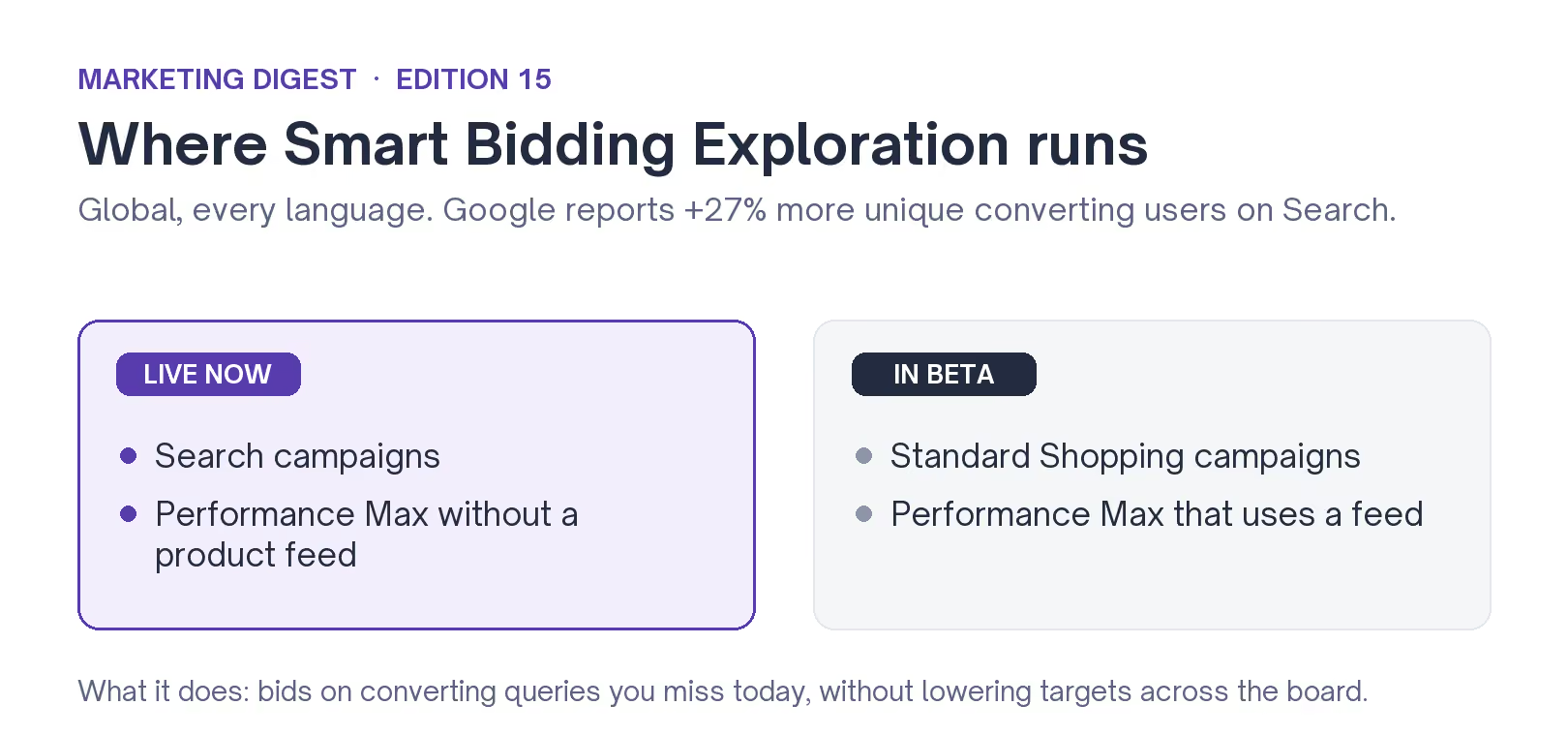
Smart Bidding Exploration is now global, in every language, for Search campaigns and Performance Max campaigns that don't use a product feed. Google has also opened a beta for Shopping, covering standard Shopping and Performance Max campaigns that do use a feed.
What it does: it lets the system loosen your ROAS tolerance just enough to bid on converting queries you aren't reaching today, without you lowering your Smart Bidding targets across the board or rebuilding your keywords. Google says Search campaigns using it reach more converting users, 27% more on average.
For B2B SaaS it cuts two ways. The upside is reach into long-tail queries that a tight keyword list misses. The watch-out is that new queries can mean looser intent.
So the quality of those conversions is the thing to check before you let it run wide. Turn it on, then review the search terms it brings in for a few weeks before you trust it.
Promotion Mode (beta)
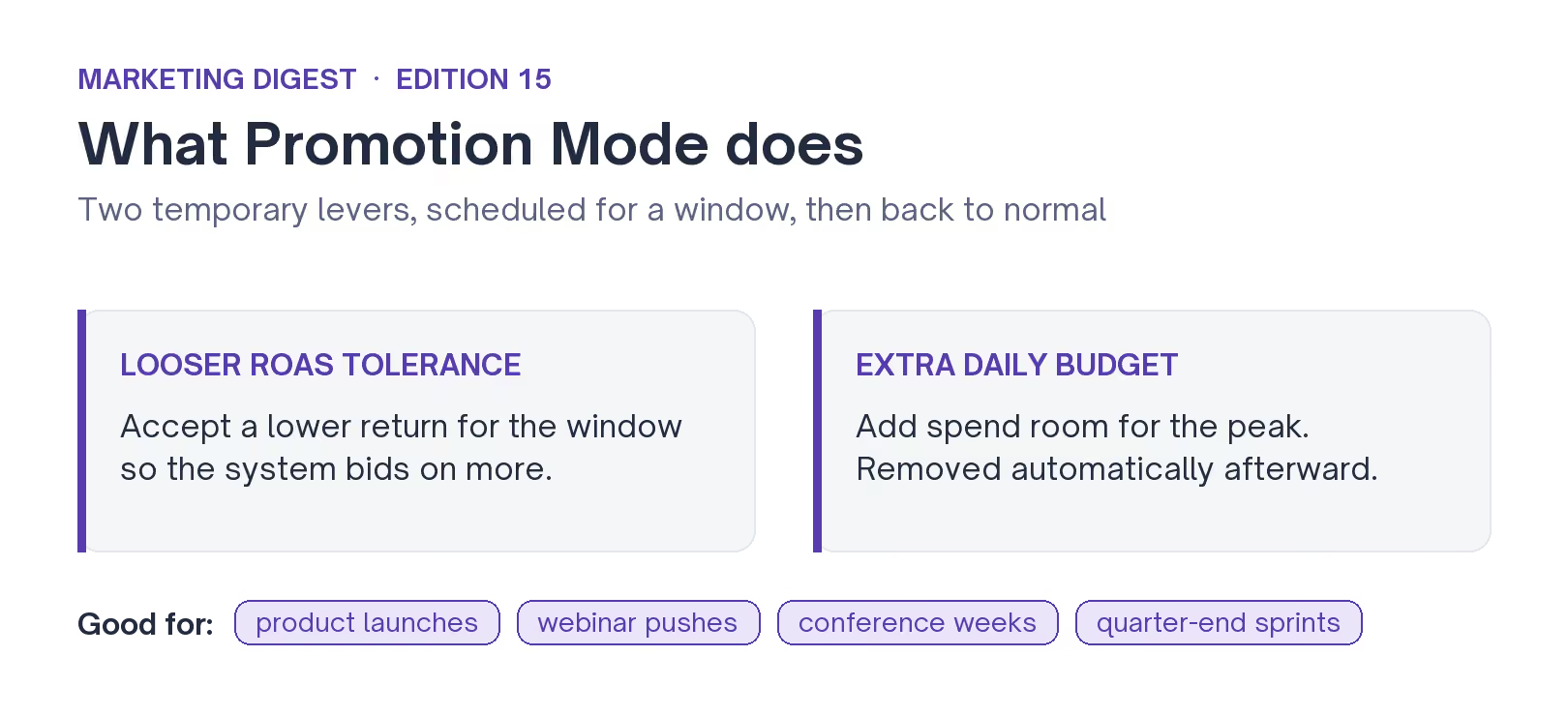
Promotion Mode is the new one, and the most hands-off. It lets you schedule a temporary change to your ROAS tolerance and add extra daily budget for a set window, so the system leans in during a busy period and goes back to normal after. Google built it for busy periods like flash sales and product launches, and it's in beta for Search and Performance Max.
For B2B SaaS the same dials fit a product launch, a webinar push, a conference week, or an end-of-quarter sprint, any stretch where you'd normally raise budgets by hand and forget to put them back. Promotion Mode raises the budget for the window and puts it back afterward, on its own.
What to do before August 17
The August 17 change is the one with a clock on it, so start there. A short list:
- Compare your targets to what you deliver. Pull the last 90 days, or let the audit we run flag it for you. Any campaign beating its Target CPA or ROAS by a wide margin is one that will move on August 17.
- Tighten the loose targets now. If a Target CPA sits higher than what you're willing to pay, bring it down to that number before the change rather than after it surprises you.
- Use the July 6 notification as a checklist. Google will list the affected campaigns in your account from that date. Work through them; don't dismiss the alert.
- Line up one Promotion Mode test. Pick your next launch or event and run it through Promotion Mode instead of bumping budgets manually, so you know how it behaves before your busy quarter.
Google is taking more of the bidding decision, and your job is to set cleaner inputs and check the outputs more often. We're walking the roster through the target adjustments before the deadline. If you want a second set of eyes on yours, review your targets with us.